Introduction
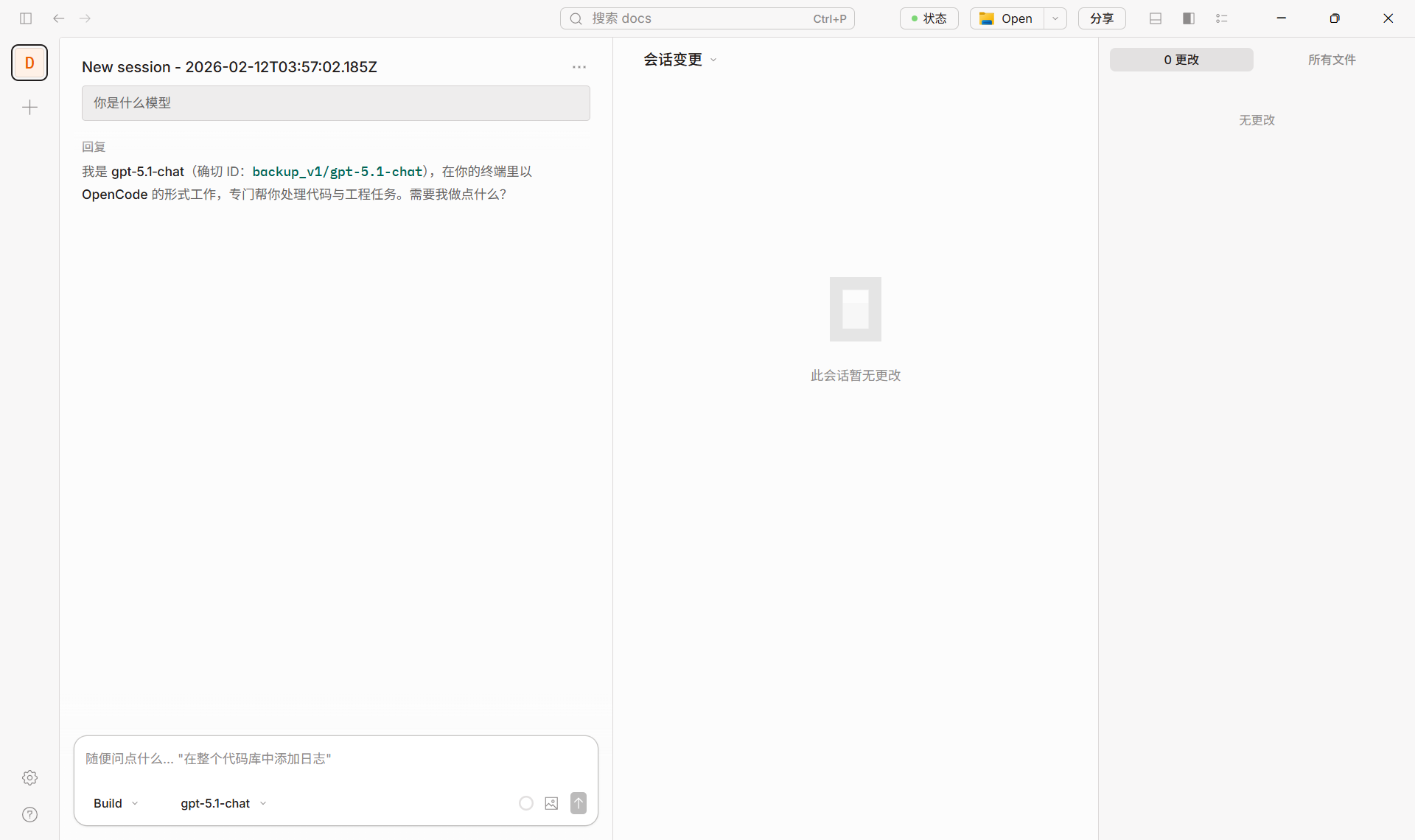
OpenCode is an open-source AI programming assistant supporting 75+ models and local deployment. With MixRoute API, you can use various mainstream and latest models (GPT, Claude, Gemini, etc.) in OpenCode with custom provider and model configuration. Download: https://opencode.ai/Quick Configuration
1. Get API Key
Create and copy your API key from MixRoute Console.2. Configure Custom Provider in OpenCode
1
Open Settings
Open OpenCode, go to Server / Provider settings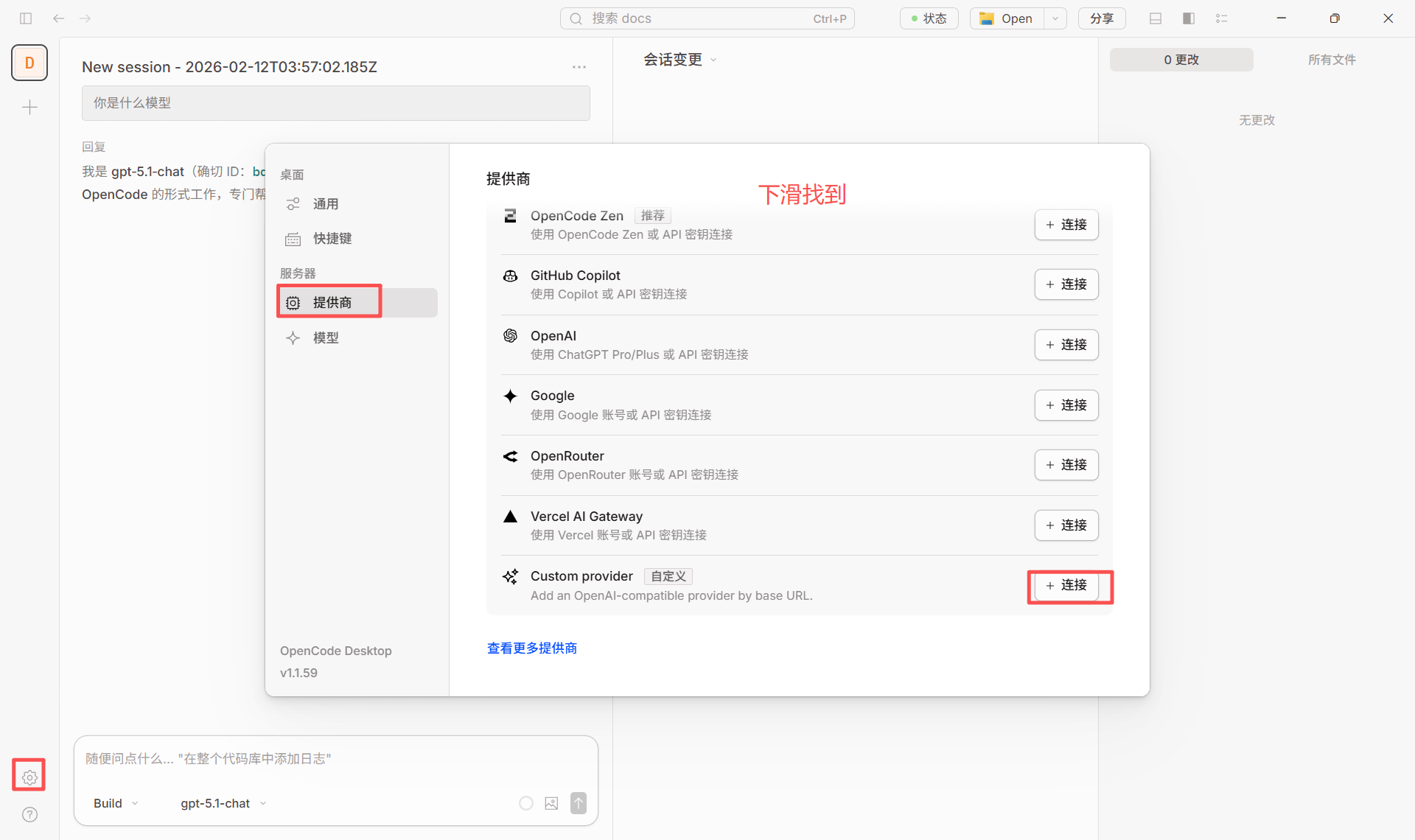
2
Add Provider
Add Custom Provider (Configure an OpenAI compatible provider)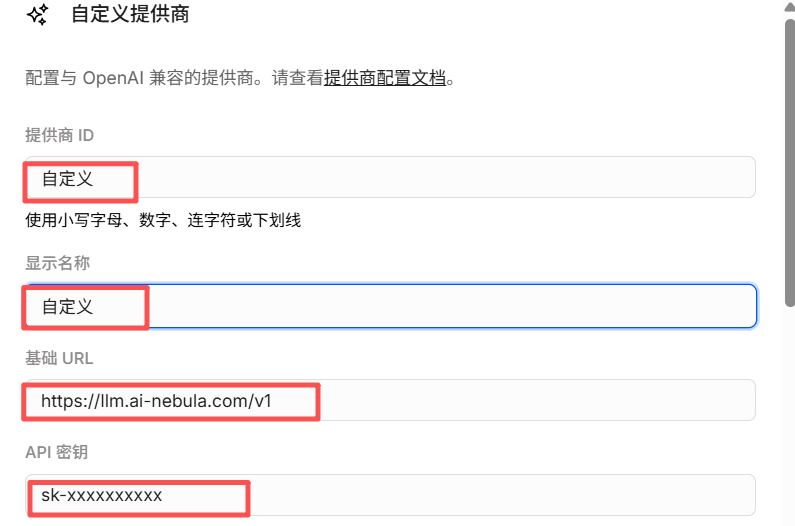
3
Fill Configuration
Smart Routing Node
Smart Routing Node
- Provider ID: e.g.,
mixroute-route(lowercase, numbers, hyphens or underscores) - Display Name: e.g.,
Mixroute Api Route - Base URL:
https://api.mixroute.ai/v1(must end with/v1) - API Key: Paste your Mixroute Api Smart Routing node key
Note that Smart Routing node keys are independent and not shared with traditional API keys.
Traditional API Node
Traditional API Node
- Provider ID: e.g.,
mixroute(lowercase, numbers, hyphens or underscores) - Display Name: e.g.,
Mixroute Api - Base URL:
https://api.mixroute.ai/v1(must end with/v1) - API Key: Paste your Mixroute Api key
4
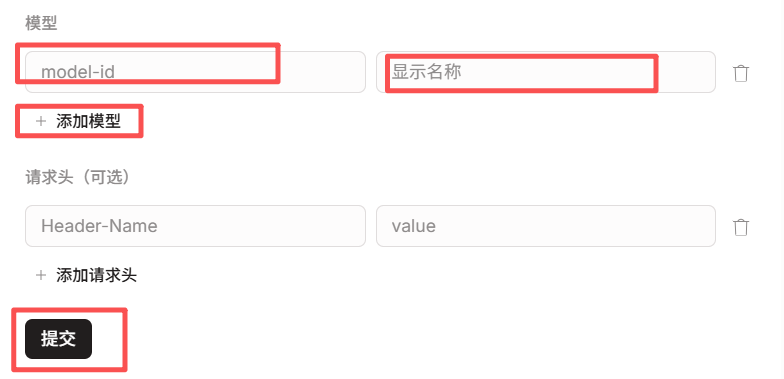
Add Models
Add models you need (e.g.,
gpt-5.5, claude-opus-4-8)5
Save and Use
Use ProviderID/ModelID format (e.g.,
mixroute/gpt-5.5)3. Switch Models
Select configured provider and model in chat or settings (e.g.,mixroute/gpt-5.5).
Models Requiring Responses API
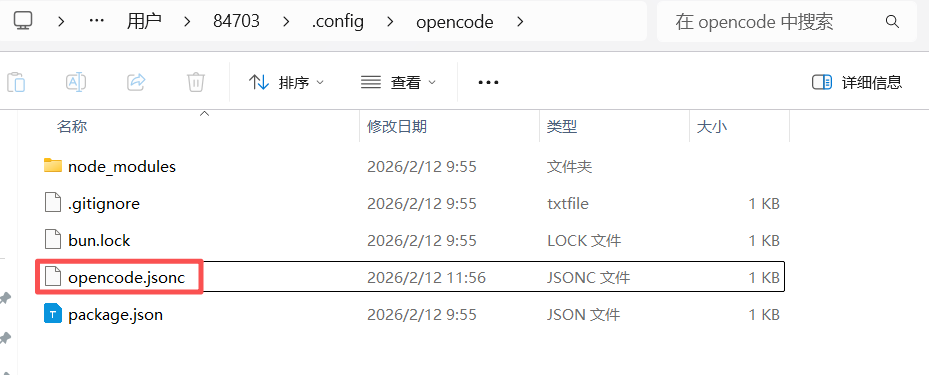
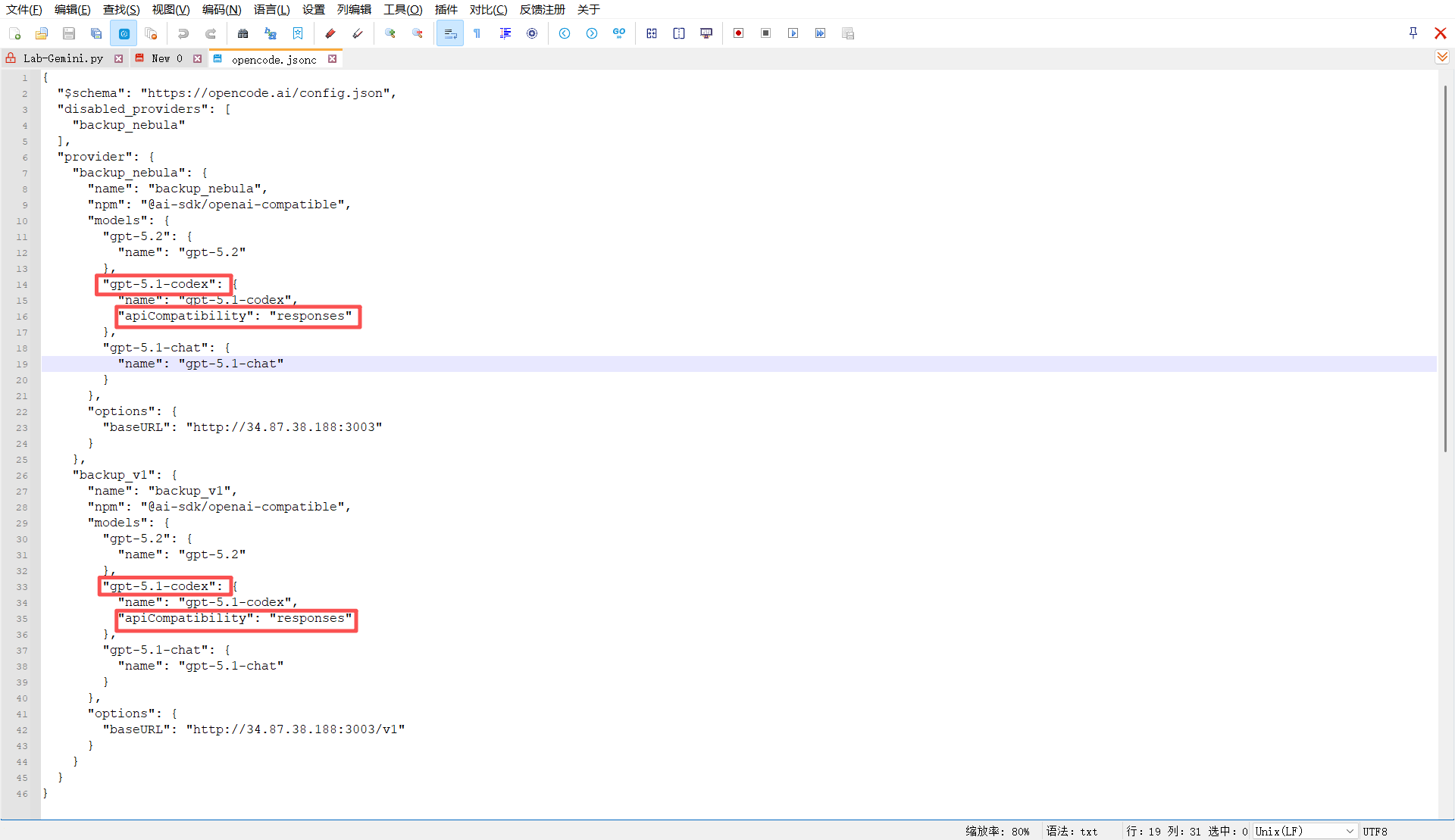
Some models require Responses API instead of Chat Completions. If you see this error:The chatCompletion operation does not work with the specified model
"apiCompatibility": "responses" in your config file:
Configuration Success Example
Configuration Success Example
Below is an example of normal conversation using Mixroute Api in OpenCode: