

- Official GitHub: pewdiepie-archdaemon/odysseus
Core Features
Smart Agent Routing
Built-in autonomous Agents based on tool calling, web search, file read/write, and Shell execution, supporting MCP service extensions.
Deep Research
Multi-step, autonomous academic and factual search, synthesis, and extraction, ultimately outputting comprehensive, high-quality visual reports.
Self-Hosted AI Collaboration
Equipped with a rich-text Markdown editor where AI can collaboratively edit documents based on context, perfectly optimized for mobile devices.
Prerequisites
Before starting deployment, please ensure your system meets the following requirements:1
Prepare Mixroute Credentials
- Smart Routing Node
- Traditional API Node
Smart Routing is an intelligent model routing capability that automatically distributes requests to the most suitable model based on task complexity, reducing API costs while enhancing efficiency.
- Obtain your Mixroute API endpoint URL, typically:
https://api.mixroute.ai/v1 - Generate your Smart Routing node Key in the Mixroute Smart Routing page.
- Select models for different task levels. See Smart Routing Guide for constraints and usage guide.
2
Environment Dependency Check
- Docker Deployment: Requires Docker and Docker Compose.
- Native Linux Deployment: Requires Python 3.11 or higher, and ensure
gitis installed on your system.
Deploying Odysseus
You can choose between the recommended Docker containerized deployment or native Linux deployment based on your system configuration.- Docker Compose (Recommended)
- Native Linux Deployment
Launch Odysseus and its companion services (ChromaDB, SearXNG, etc.) with a single command via Docker Compose. All data is persisted in the local
data/ directory.If you want optional PDF rendering and Office document extraction support (requires AGPL PyMuPDF), perform a manual build with the build argument before running
up:First Login & Password Retrieval
By default, Odysseus automatically creates an admin accountadmin during the first startup and prints the generated random initial password to the startup logs.
1
Retrieve Initial Admin Password
Run the following command in your terminal to view the output:
- Docker Deployment:
- Native Linux Deployment: Check the temporary initial password output in
uvicornor your startup terminal.
2
Access Web Console
Log in using the username
admin and the password you just retrieved.- Local access:
http://127.0.0.1:7000 - Remote cloud server access:
http://<your-server-ip>:7000
Configuring Mixroute
Once logged in successfully, follow these steps to configure Mixroute as a custom endpoint to power your Odysseus intelligent assistant.1
Open Settings Panel
Click Settings in the bottom-left corner to access the global system settings.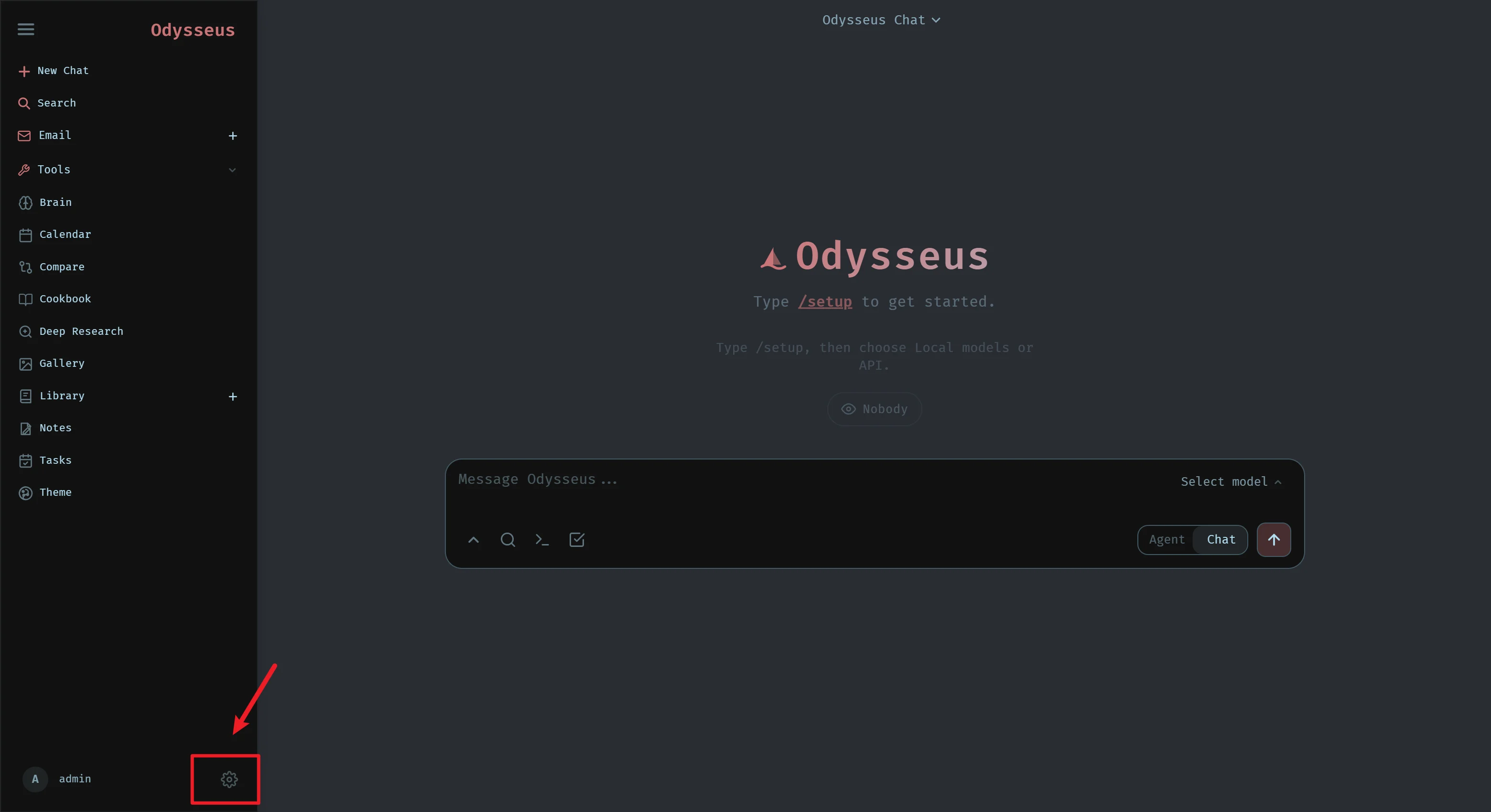
2
Configure Provider
Add a new custom endpoint on the Providers/Endpoints page in Settings:
-
Base URL:
https://api.mixroute.ai/v1 -
API Key: Enter your Mixroute API Key (e.g.,
sk-xxxxxxxx)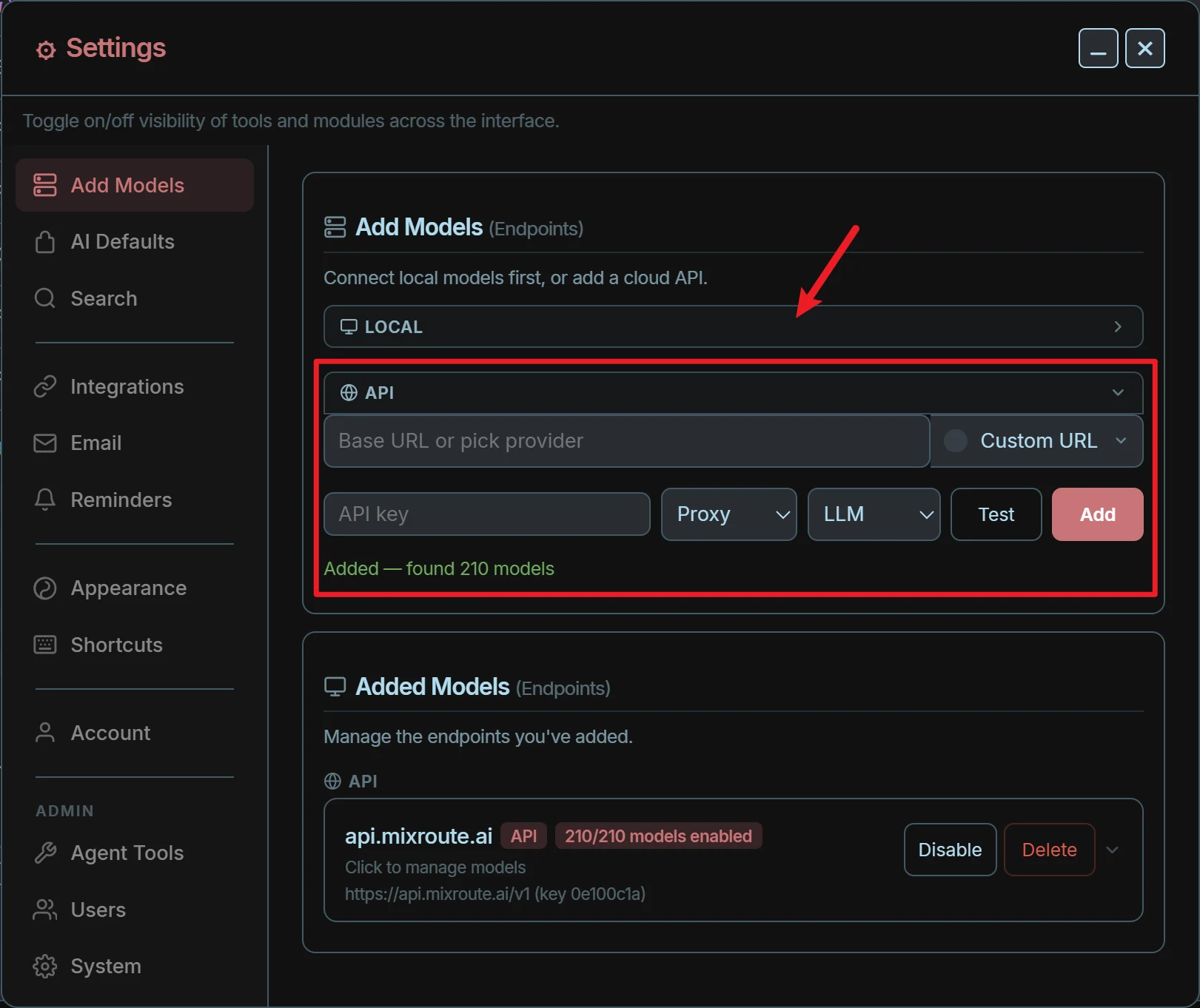
3
Enable & Manage Models
After adding the endpoint, Odysseus will automatically probe and load the available models returned by that endpoint. You can enable frequently used models in the list, or assign them to global default roles (such as default chat, Deep Research, Task scheduling, vision, etc.).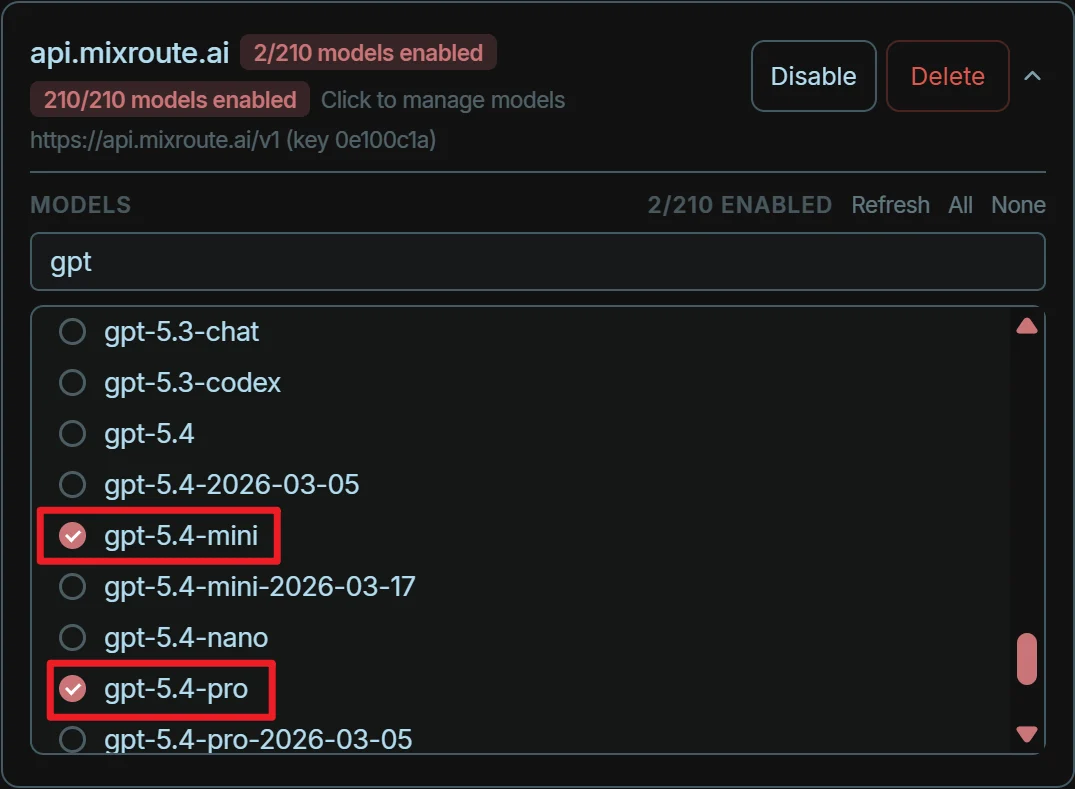
4
Enjoy your Odysseus
Return to the Chat home page to start conversations and launch powerful intelligent Agents utilizing Mixroute’s underlying models.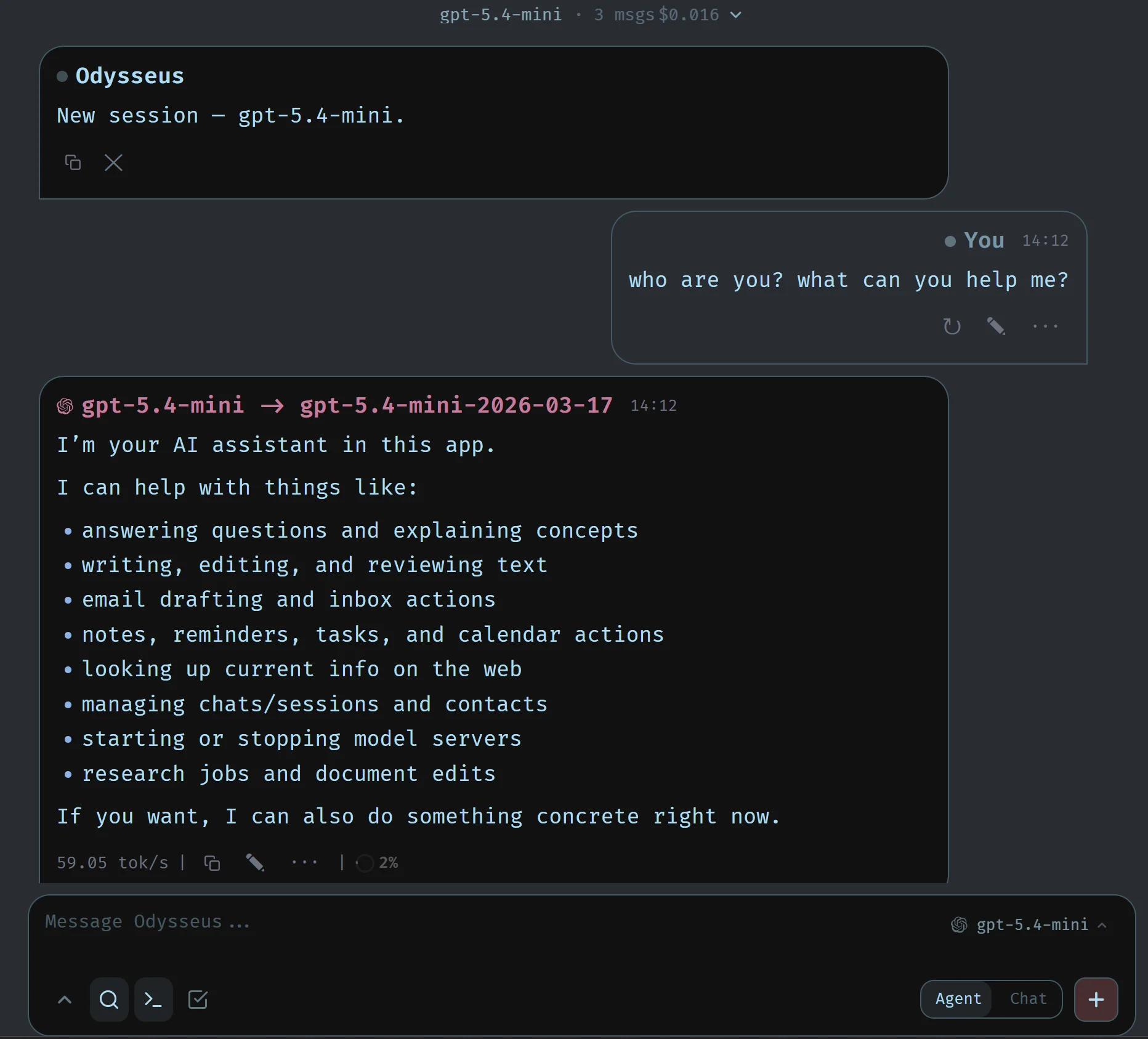
FAQ & Advanced Setup
How to enable NVIDIA GPU passthrough in Docker?
How to enable NVIDIA GPU passthrough in Docker?
If you need to call or manage local GPUs through the Cookbook inside self-hosted containers, we recommend:
- Running the built-in diagnostic and configuration script:
- This script automatically appends
COMPOSE_FILE=docker-compose.yml:docker/gpu.nvidia.ymlto.envto enable NVIDIA Container Toolkit mapping.
Network errors or container listening issues
Network errors or container listening issues
By default, the container only listens on
127.0.0.1.- If you need direct access via IP over LAN or the public network, please modify
APP_BIND=0.0.0.0in.envand restart the container. - For production environments, it is highly recommended to keep the listening address on
127.0.0.1and use Nginx, Caddy, or Cloudflare Tunnel as a reverse proxy with an SSL certificate.
ChromaDB or memory retrieval errors
ChromaDB or memory retrieval errors
If you encounter issues where ChromaDB fails to load or experiences client incompatibilities:
Once configured, all of Odysseus’s subsequent features (Deep Research, file retrieval, calendar/todos, and email triage) will be powered by the Mixroute endpoint bound and configured in your Settings, delivering a robust and highly cost-effective cloud-based LLM experience.