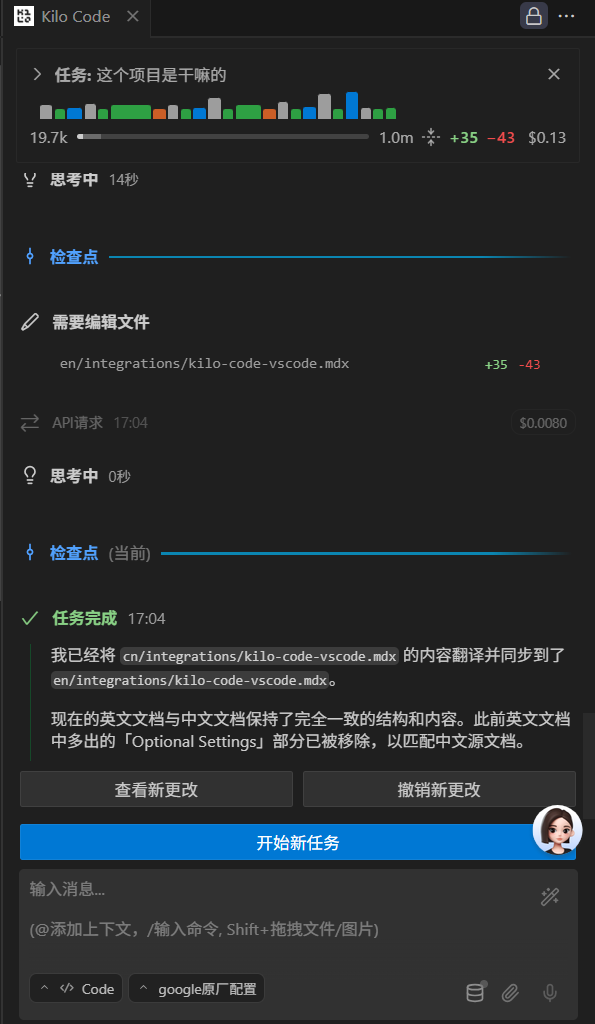
Step 1: Install Kilo Code Plugin
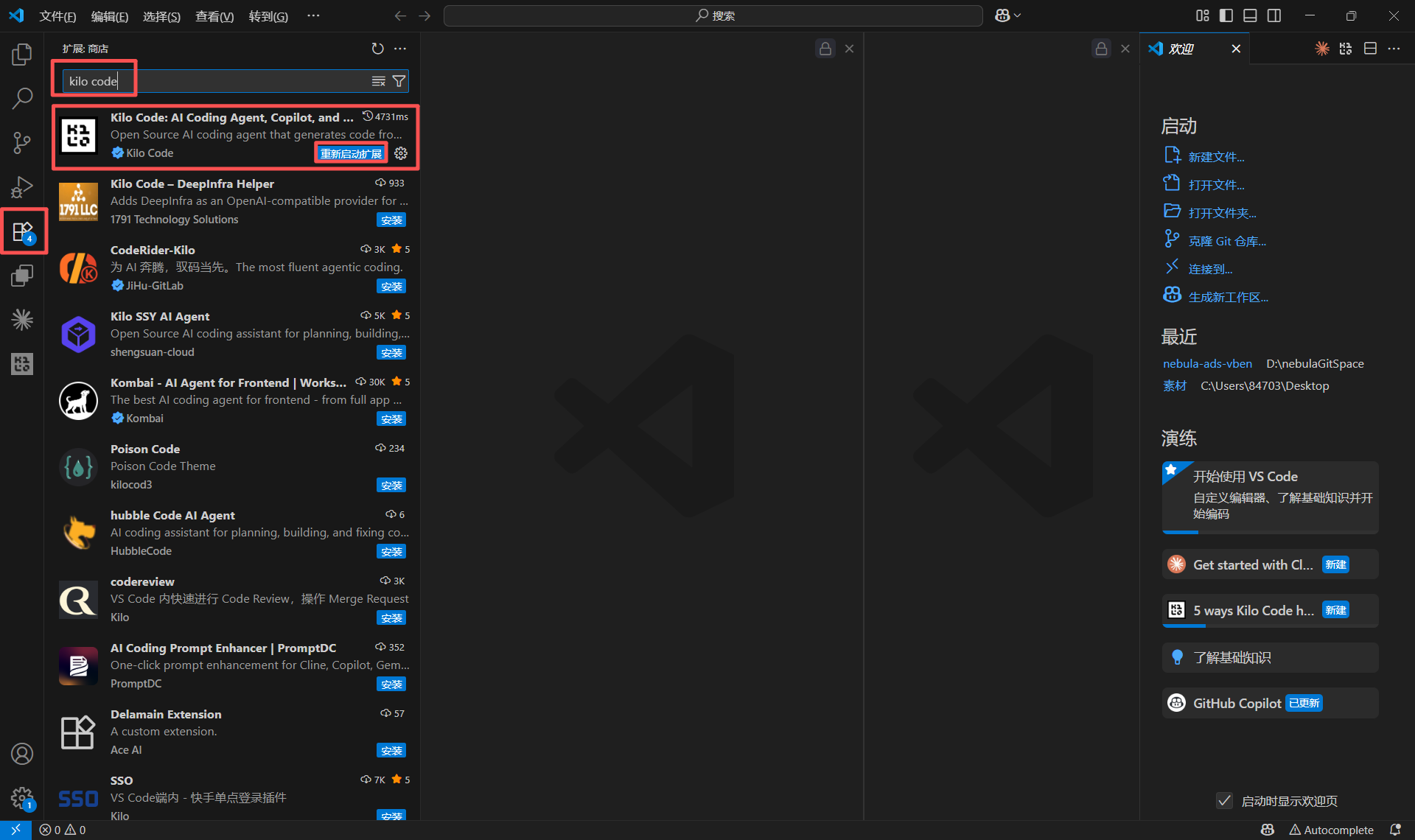
- Open VS Code Extensions panel (Ctrl+Shift+X)
- Search for “Kilo Code”
- Click Install
Step 2: Configure API Provider
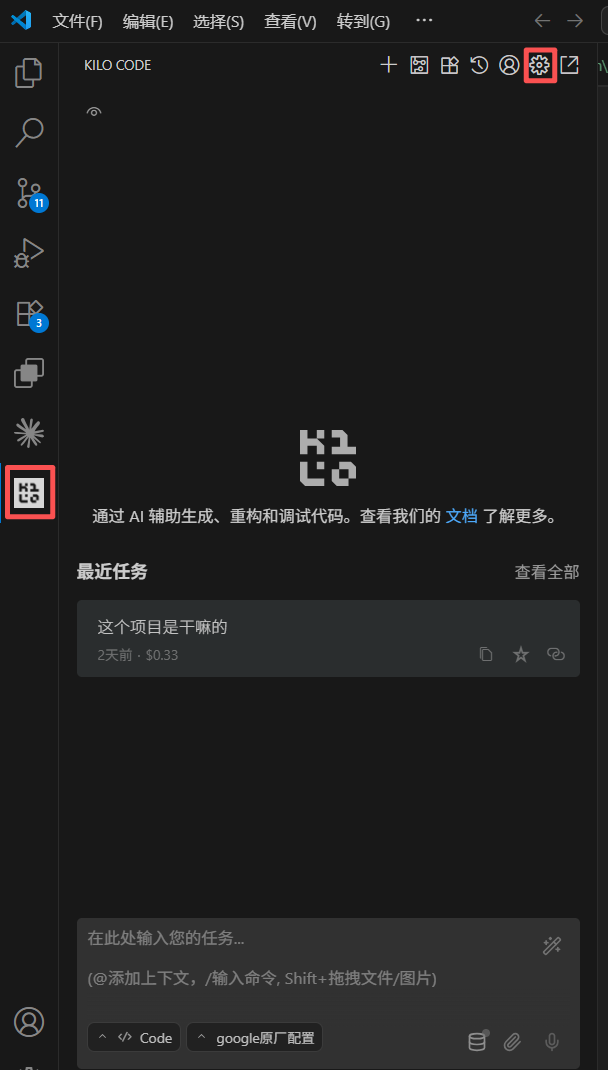
Open Settings Panel
- Click Kilo Code icon in activity bar
- Click Settings gear icon
Configure Provider
Recommended Model:
gemini-3-pro-preview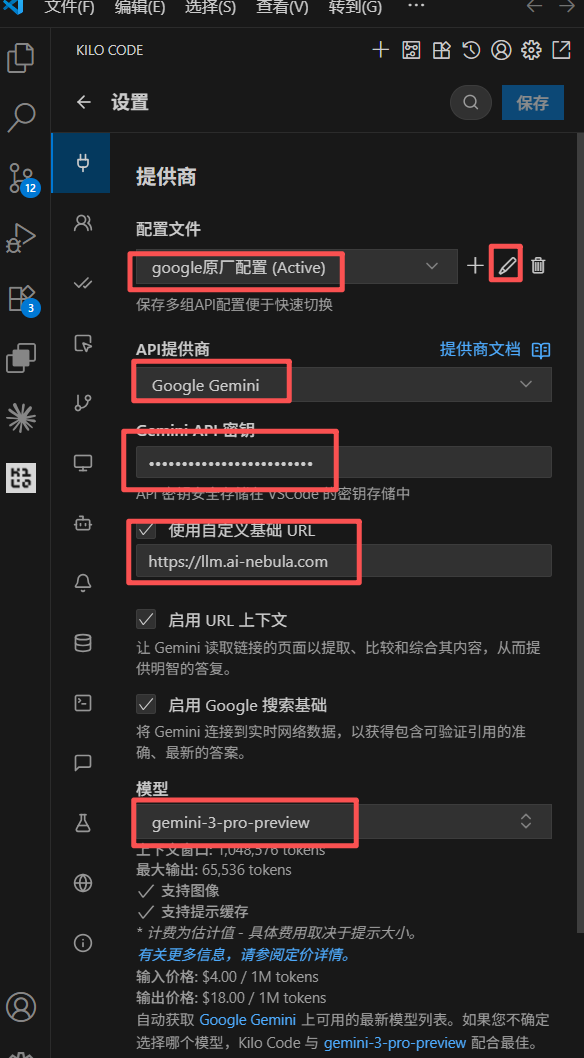
Step 3: Verify Connection
- Open any code file
- Use
Ctrl+I(Windows) orCmd+I(macOS) for Inline Chat - Test with “explain this code” or “hello”