

Step 1: Install Claude Code Plugin
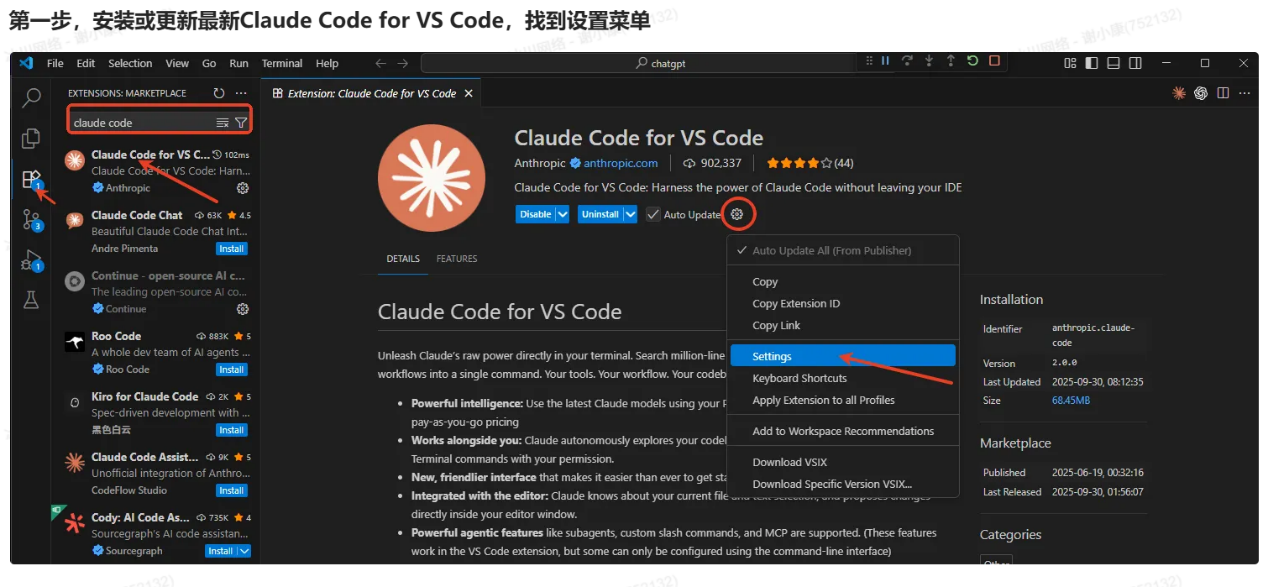
- Open VS Code, go to Extensions panel (Ctrl+Shift+X)
- Search for “Claude Code for VS Code” by Anthropic
- Click Install
Step 2: Configure settings.json
Open Configuration
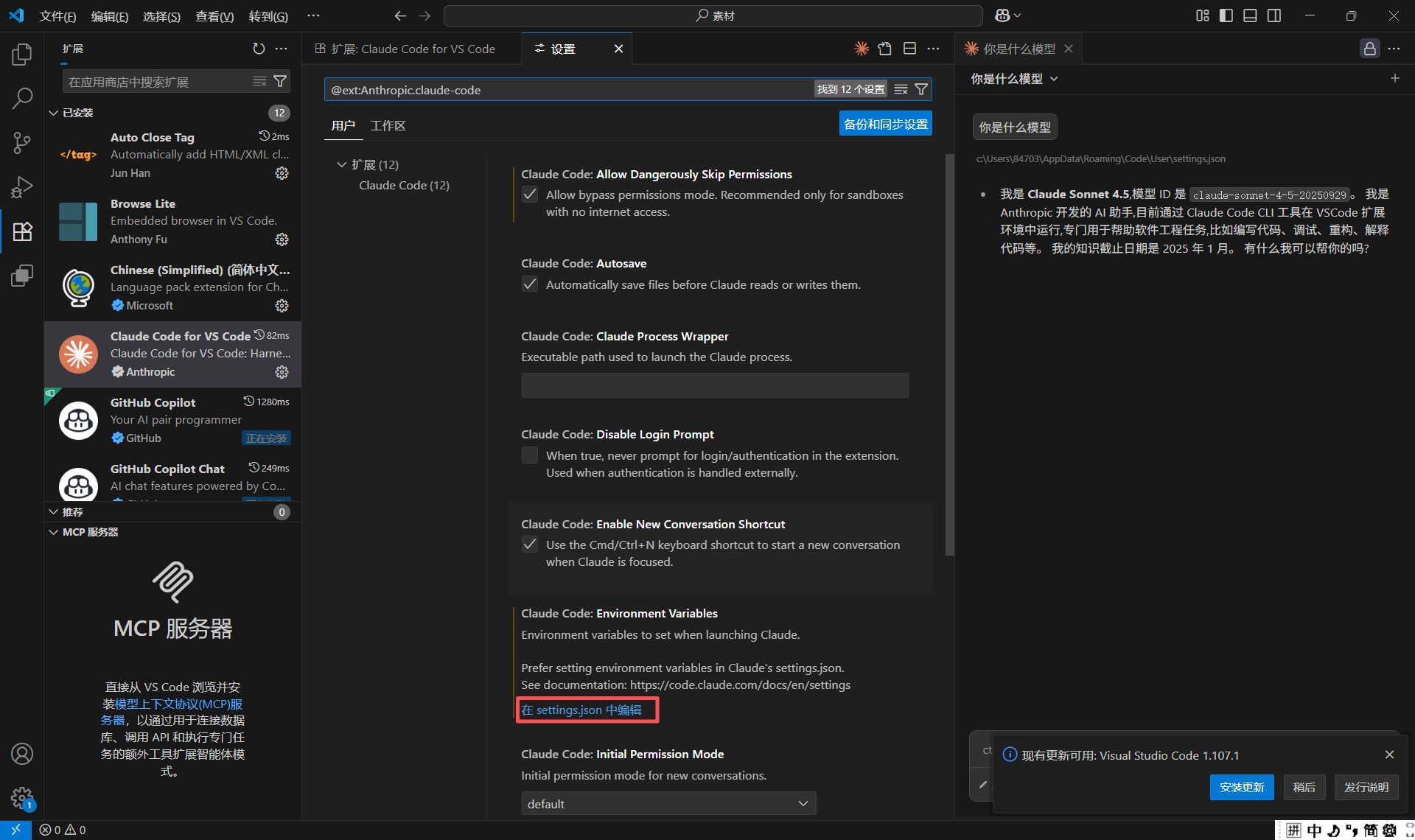
- Click Settings icon (Ctrl+,), search “@ext:Anthropic.claude-code”
- Find “Claude-code: Environment Variables”, click “Edit in settings.json”
Add Configuration
Configuration Options
Verify Configuration
- Restart VS Code
- Open Command Palette (Ctrl+Shift+P), type “Claude”
- Select “Claude Code: Open Panel”
- Test with a question
Troubleshooting
Response to 400 Errors Related to Beta Fields
{"name":"CLAUDE_CODE_DISABLE_EXPERIMENTAL_BETAS","value":1} to the settings to disable the inclusion of experimental features in the request header.