Use MixRoute API in LobeHub
This guide shows how to use MixRoute API (OpenAI-compatible) in LobeHub instead of the official OpenAI key.
Step 1: Get a MixRoute API Key
- Sign up for a MixRoute account and complete basic setup.
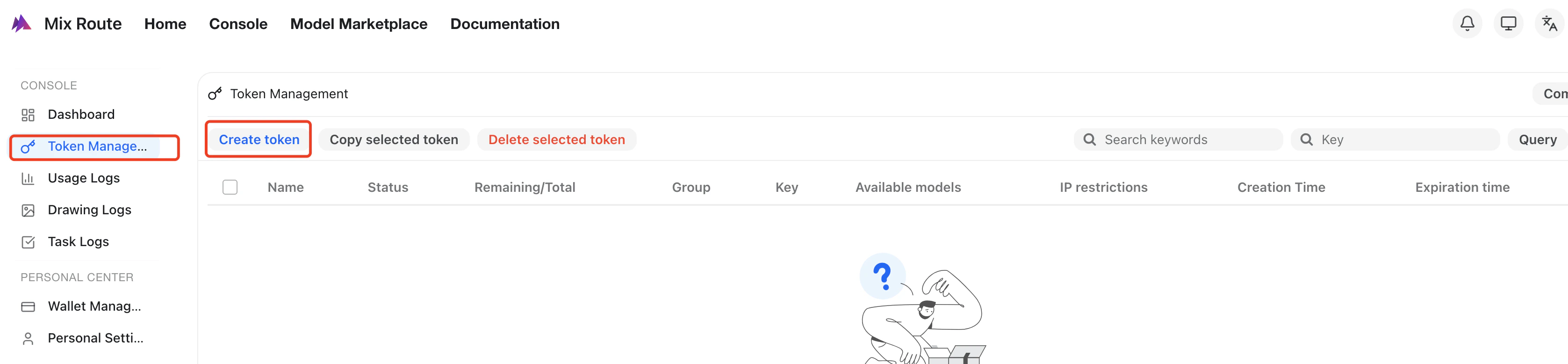
- In the console, go to the API Keys page and click
Create new key.
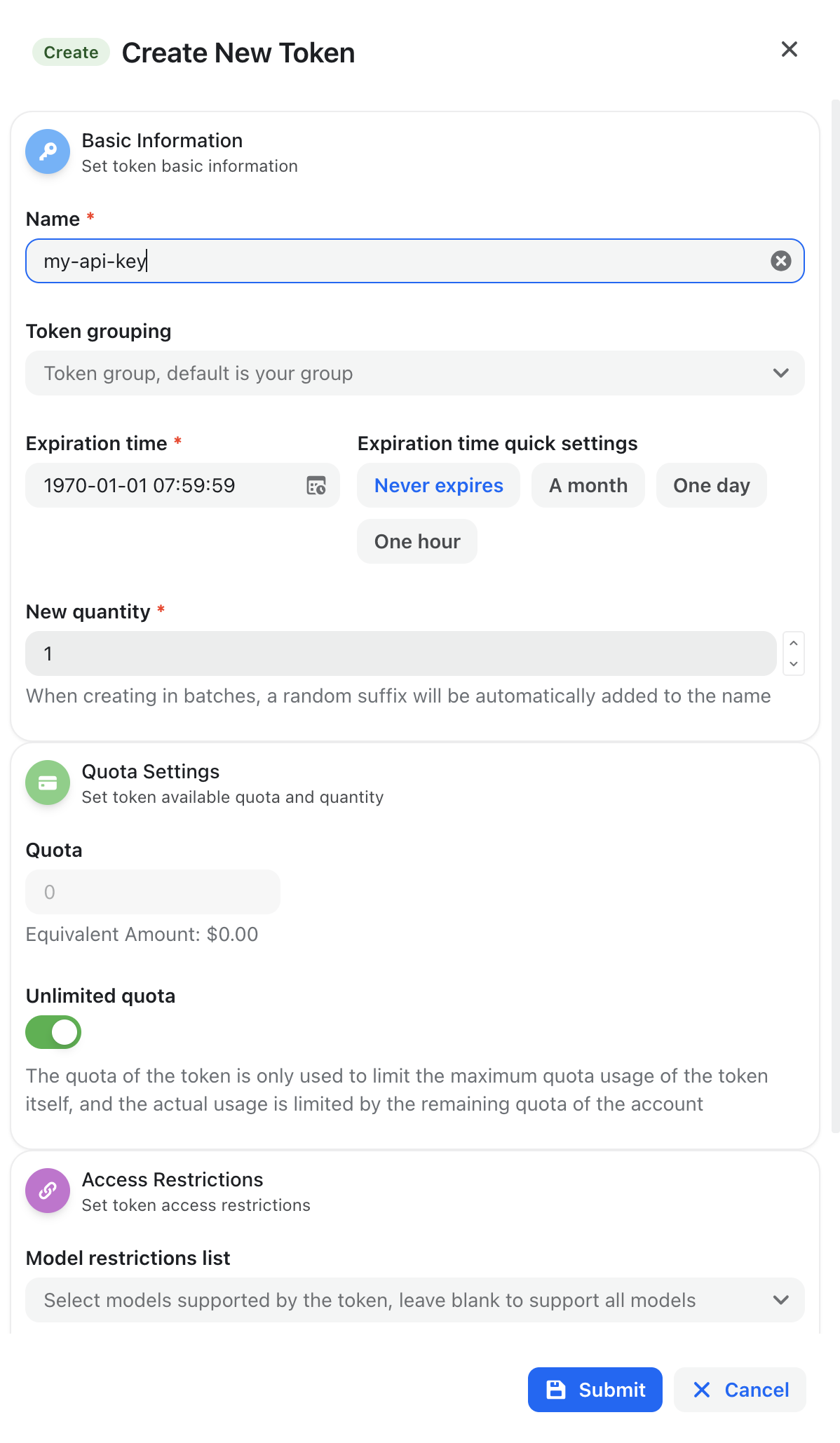
- Enter a name for the key in the popup dialog and create it:
- Copy the generated API key and store it securely:
For security reasons, the full key is usually shown only once. If you lose it, generate a new key in the console.
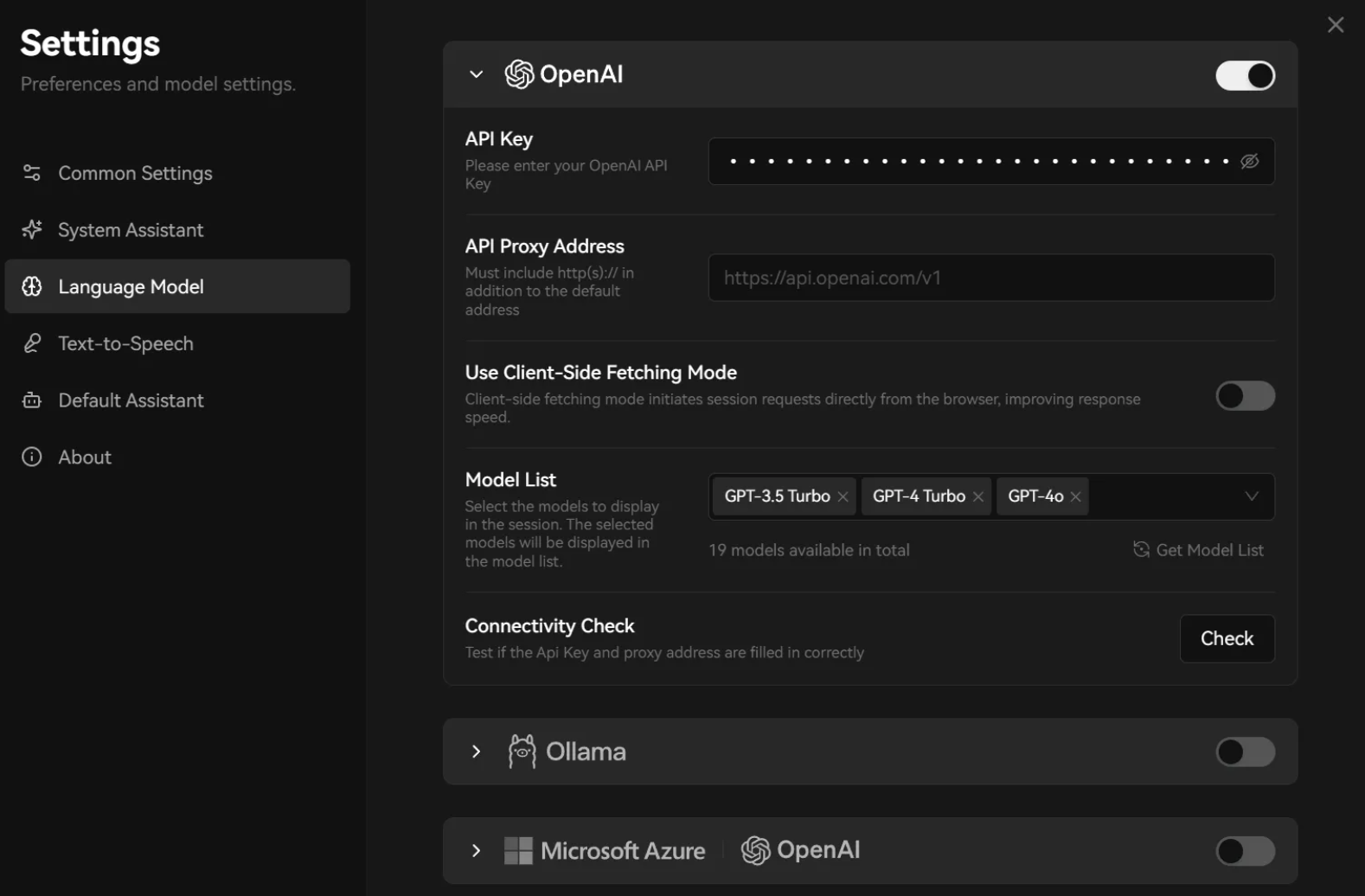
- Open LobeHub and go to the Settings page.
- Under AI Providers, find the OpenAI / custom OpenAI-compatible provider section.
- In the provider configuration, fill in:
In the provider configuration, fill in:
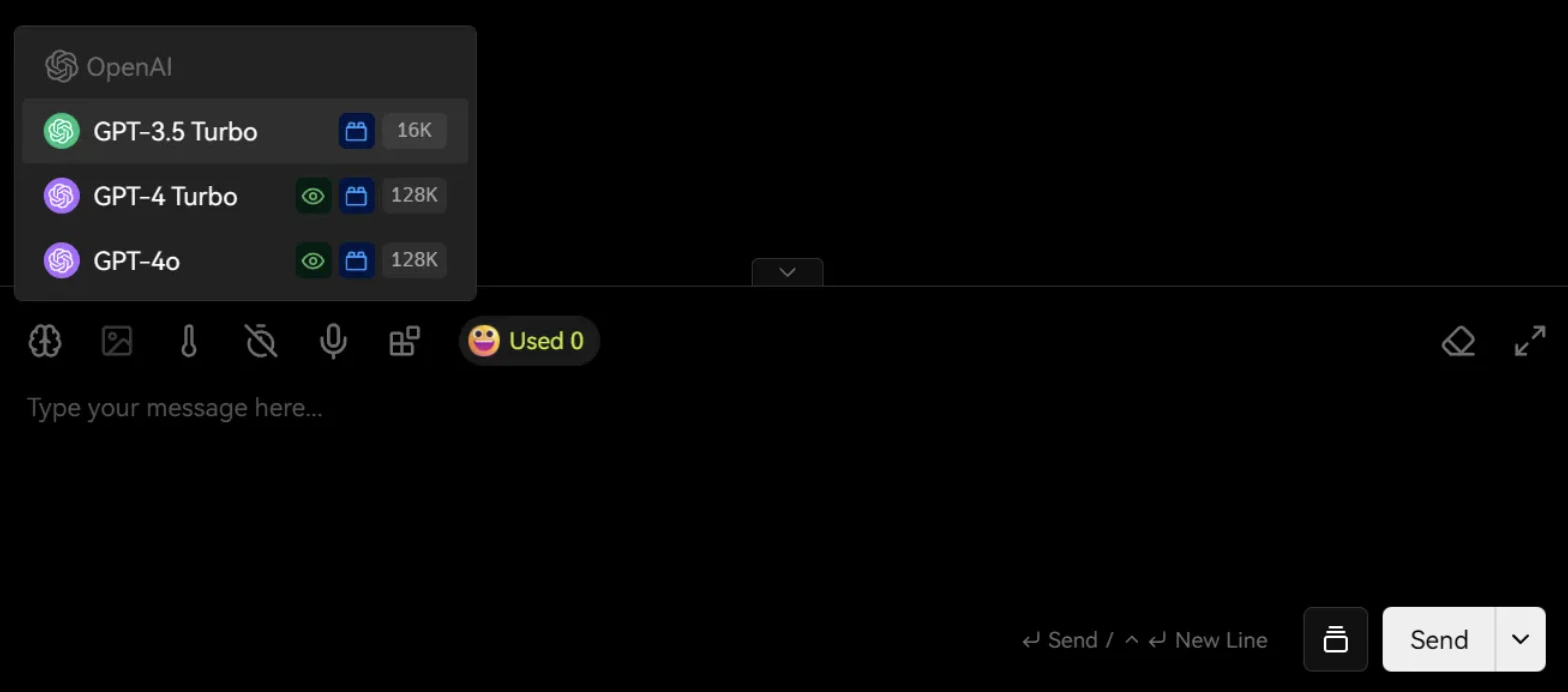
- Save the configuration, then select a model provided by MixRoute from the model list and start chatting.
Usage is billed based on the models you call. Please refer to pricing and usage information in the MixRoute console.