

Introduction
Smart Routing automatically assigns each request to a model based on task complexity. The console presents three tiers — Simple, Complex, and Ultra — to reduce API costs while maintaining output quality. Ultra is the price benchmark.In the System API, the console’s Ultra tier maps to
smart_route_tiers.super, and smart_route_tiers must be sent as a JSON-encoded string. See Smart Routing API for the complete create, update, and statistics workflow.Application Document
Usage Constraints
Cache Capability Constraints Prompt caches are generally scoped to a provider and model. If Smart Routing sends a later request to a different model, that request cannot reuse the previous model’s cache entry. Requests routed to the same model may still use caching according to that provider’s rules. Request Body Structure Constraints Smart Routing uses the/v1/chat/completions endpoint. When the routing target is a Claude series model, it can only work through OpenAI compatibility mode. For feature constraints after compatibility, please refer to the Anthropic official documentation OpenAI SDK compatibility.
Usage Guide
- Create a route
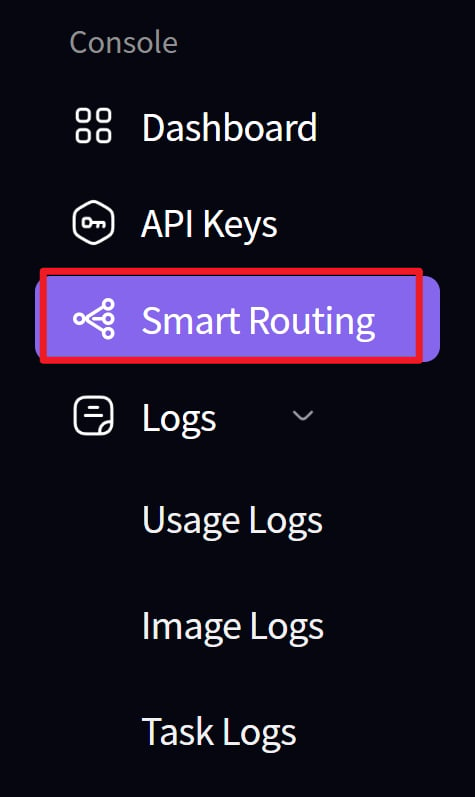
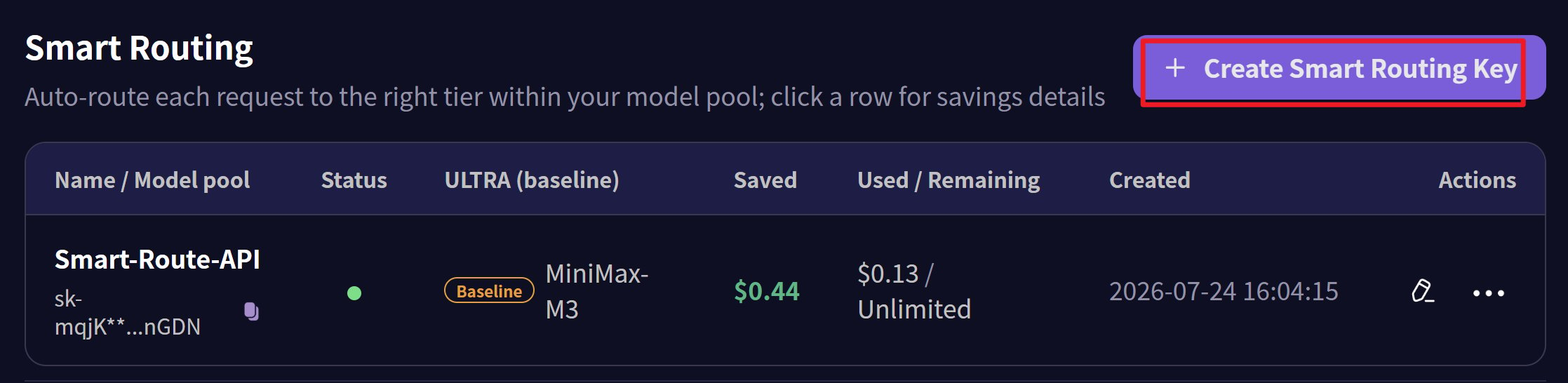
- Create an API key for the route node
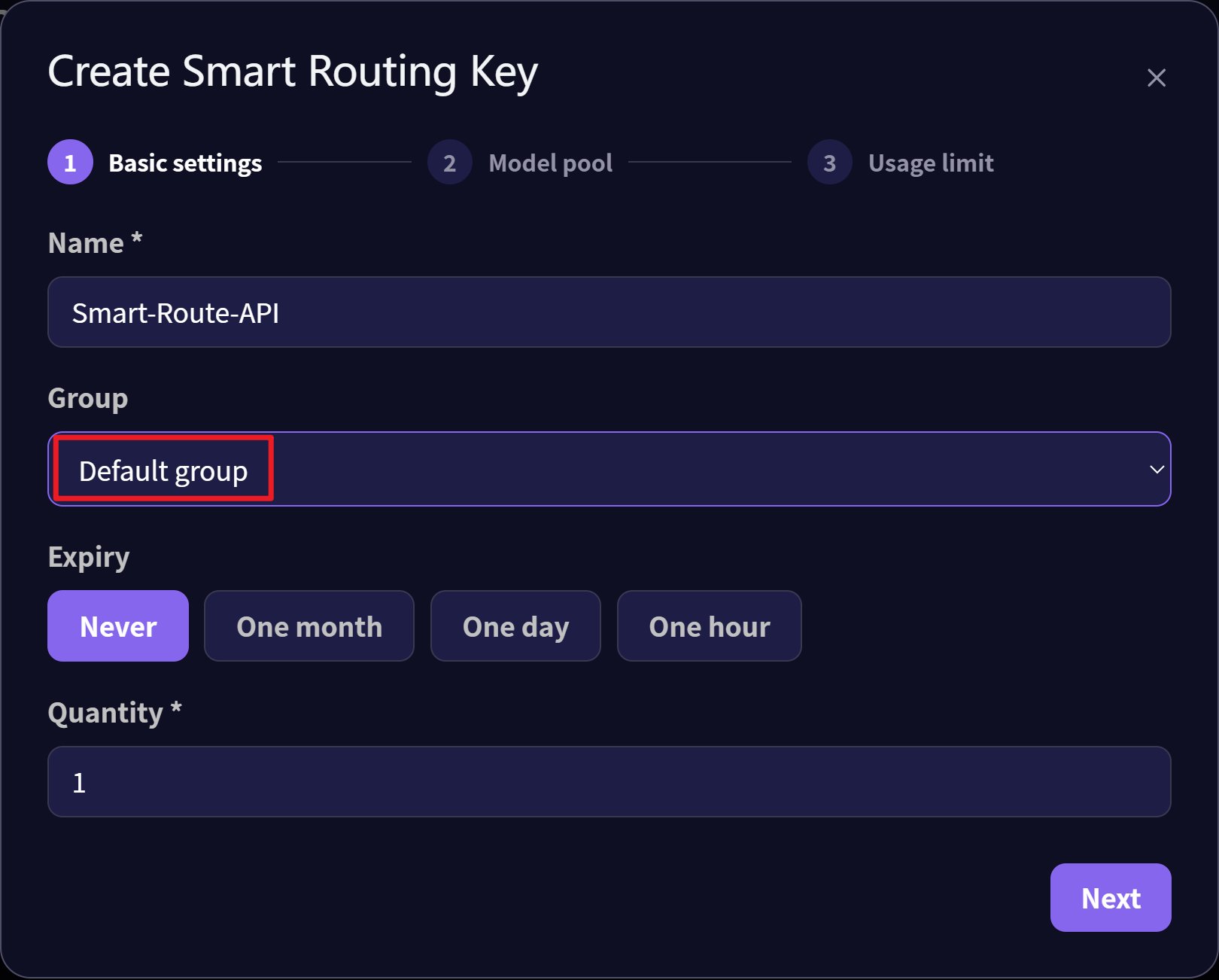
- Select the Default group for the API key
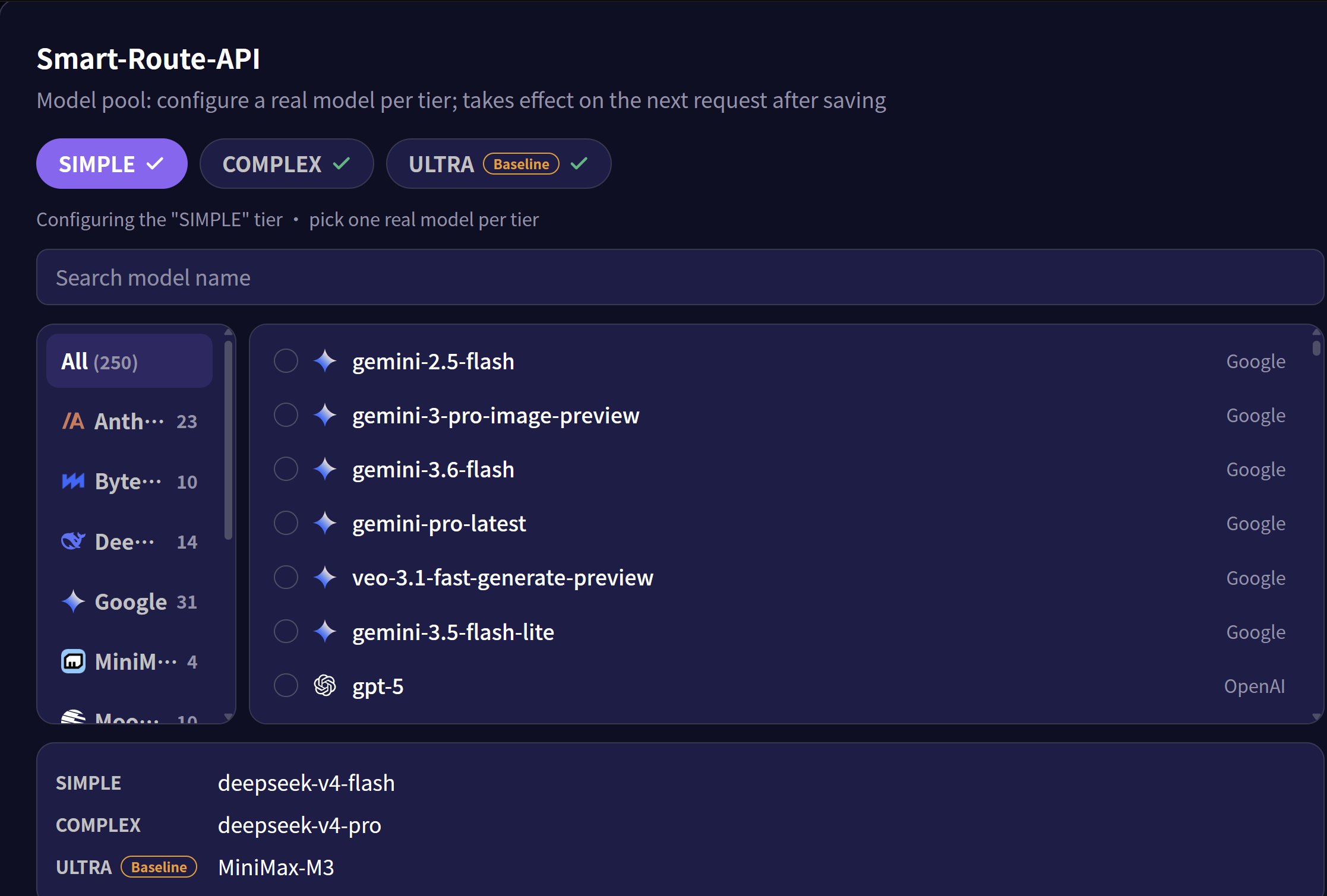
- Set the corresponding models for the three levels: simple, complex, and ultra
- Configure and route through the smart gateway
- Communication endpoint:
https://api.mixroute.ai/v1/chat/completions - Model name:
auto - API Key: Use the route’s API key