

一、产品简介
OpenCode 是一款开源 AI 编程助手,支持 75+ 模型与本地部署。通过 MixRoute,可在 OpenCode 中统一使用各类主流与最新模型(如 GPT、Claude、Gemini 等),并支持自定义提供商与模型配置。 下载地址:https://opencode.ai/二、快速配置(MixRoute)
1. 获取 API 密钥
在 Mixroute Api 控制台 创建并复制 API 密钥。2. 在 OpenCode 中配置自定义提供商
1
打开设置
打开 OpenCode,进入 服务器 / 提供商 设置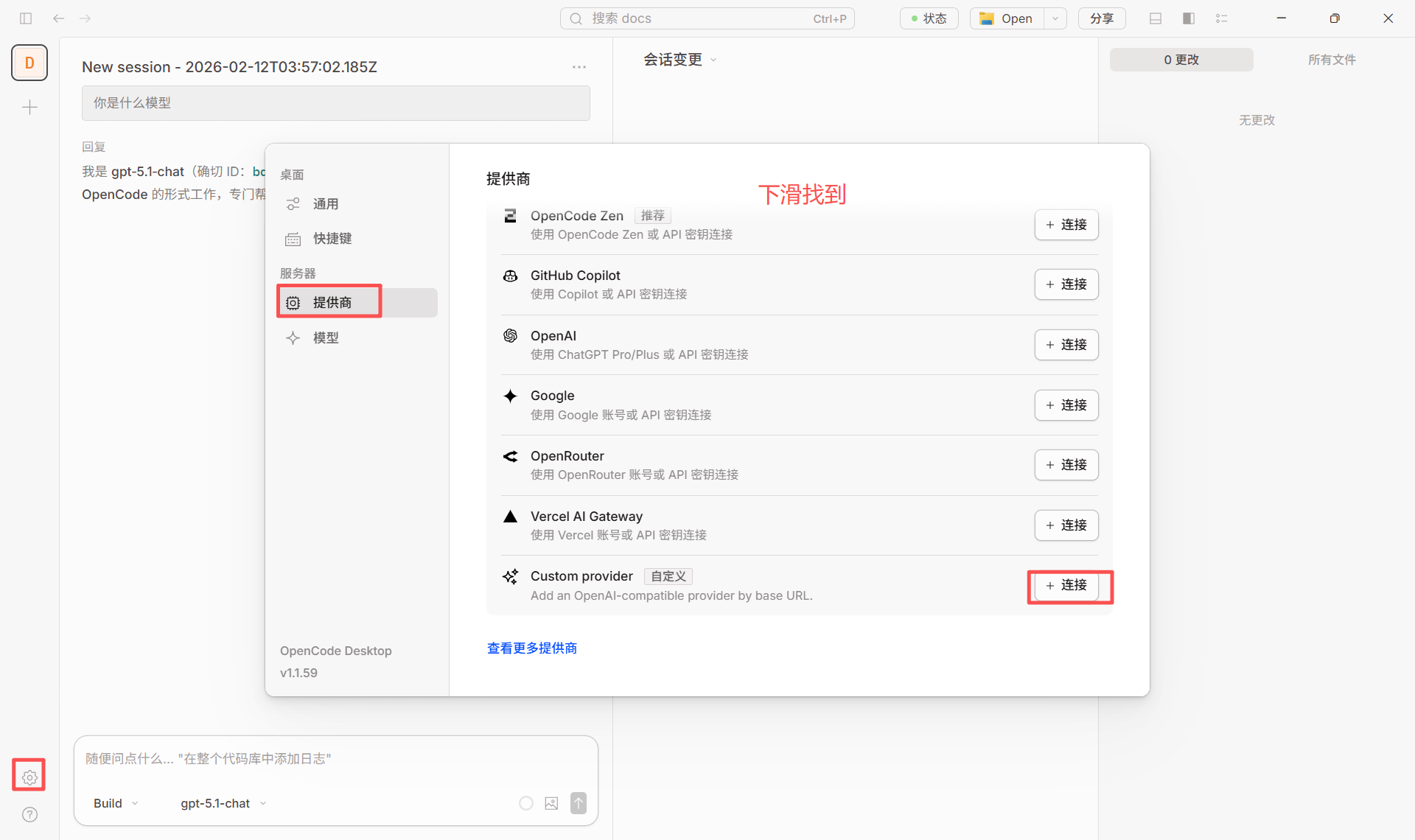
2
添加提供商
添加 自定义提供商(Configure an OpenAI compatible provider)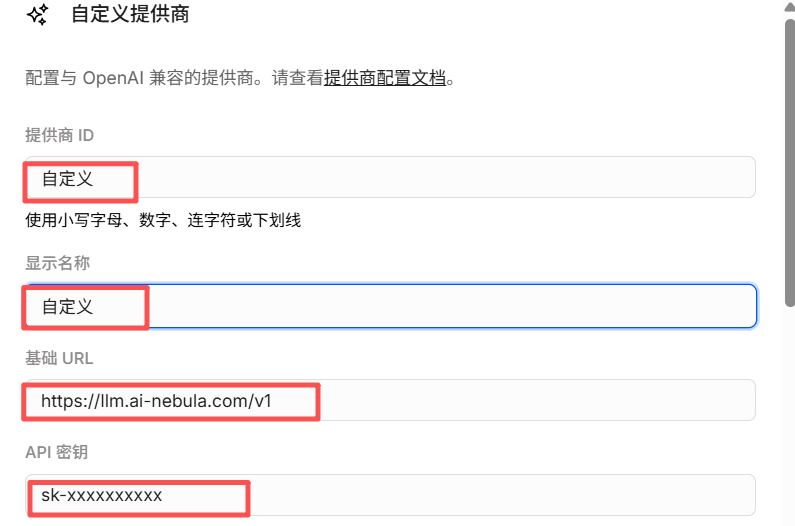
3
填写配置
智能路由节点接入
智能路由节点接入
- 提供商 ID:如
mixroute-route(小写、数字、连字符或下划线) - 显示名称:如
Mixroute Api Route - 基础 URL:
https://api.mixroute.ai/v1(必须以/v1结尾) - API 密钥:粘贴 Mixroute Api 智能路节点密钥
请注意智能路由节点的密钥是相对独立,不与传统API密钥共用
传统方式接入
传统方式接入
- 提供商 ID:如
mixroute(小写、数字、连字符或下划线) - 显示名称:如
Mixroute Api - 基础 URL:
https://api.mixroute.ai/v1(必须以/v1结尾) - API 密钥:粘贴 Mixroute Api 密钥
4
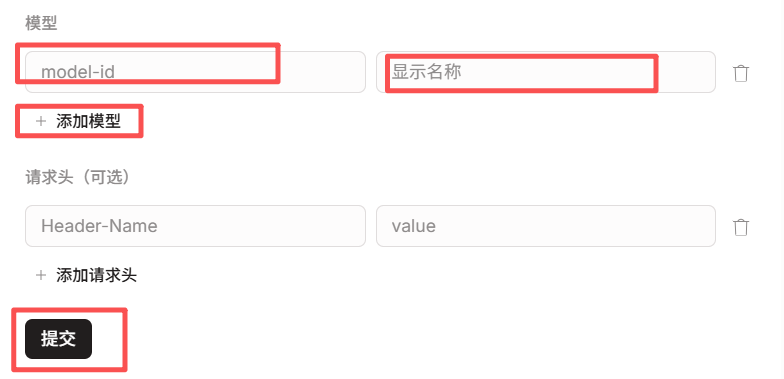
添加模型
在 模型 中添加需要使用的模型(如
gpt-5.5、claude-opus-4-8 等)5
保存使用
保存后,在模型选择中使用 提供商ID/模型ID(如
mixroute/gpt-5.5)3. 切换模型
在对话或设置中选择已配置的提供商与模型(如mixroute/gpt-5.5)即可切换。
三、部分模型需使用 Responses API(重要)
部分模型的访问接口与常规 Chat Completions 不同,需使用 Responses API。若在 OpenCode 中选用这类模型时出现类似错误:The chatCompletion operation does not work with the specified model, gpt-5.1-codex. Please choose different model and try again.
3.1 需要走 Responses API 的模型(典型)
3.2 在 OpenCode 中如何配置
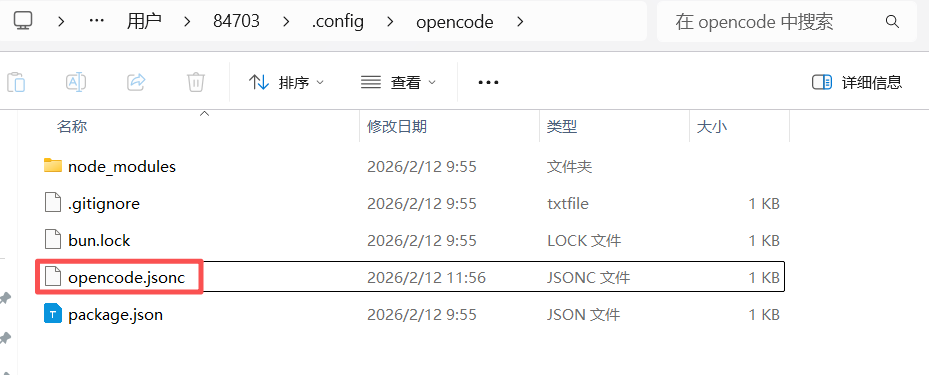
通过在配置文件中为对应模型添加apiCompatibility 参数,即可让 OpenCode 对该模型使用 Responses API。
1. 找到配置文件
- Windows:
C:\Users\<用户名>\.config\opencode\opencode.jsonc - macOS / Linux:
~/.config/opencode/opencode.jsonc
"apiCompatibility": "responses":
gpt-5.1-codex(如 mixroute/gpt-5.1-codex),请求会以 Responses API 格式发往该 baseURL。
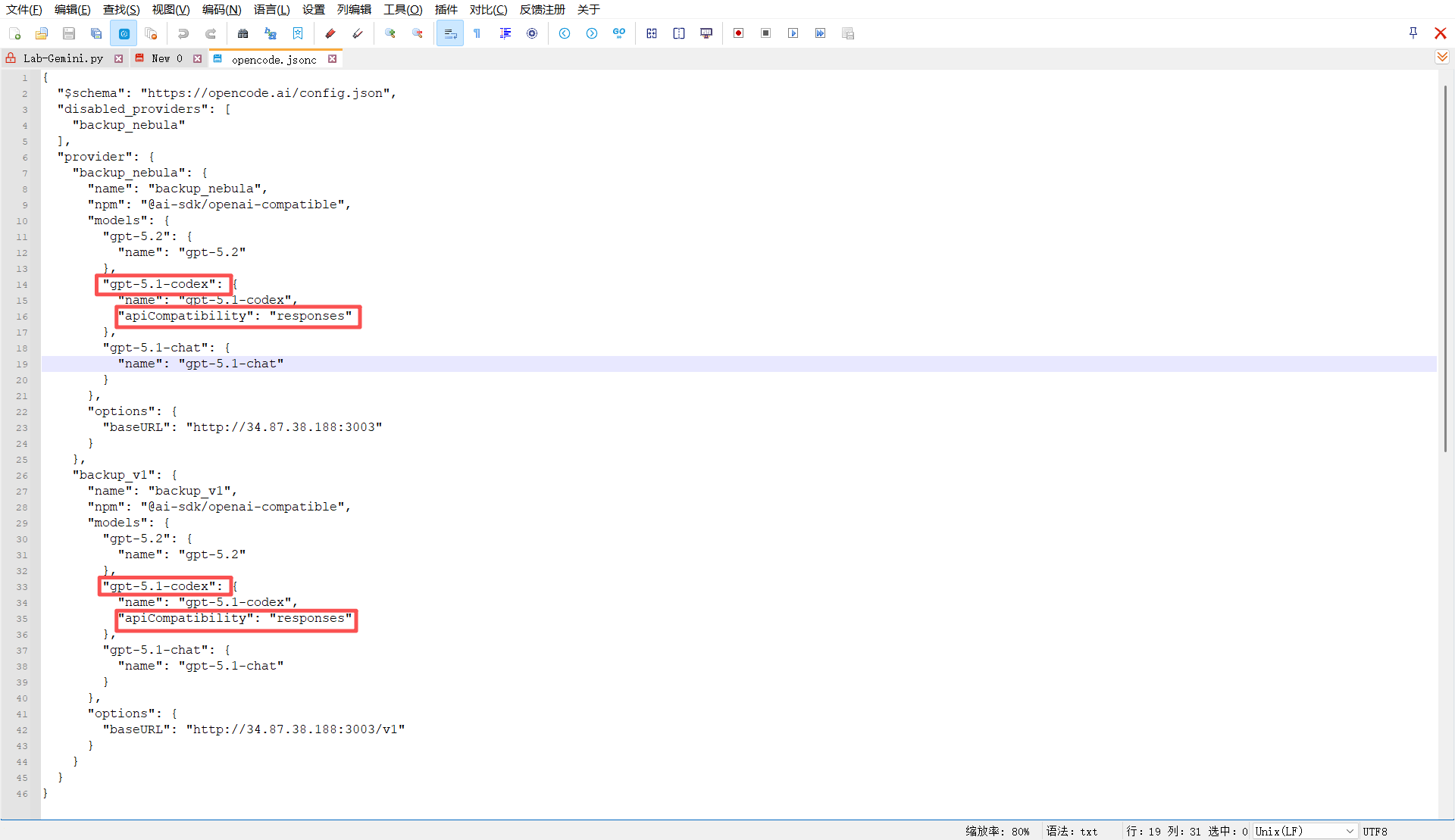
配置成功示例
3.3 小结
四、配置成功示例
下图为使用 MixRoute 在 OpenCode 中正常对话的示例: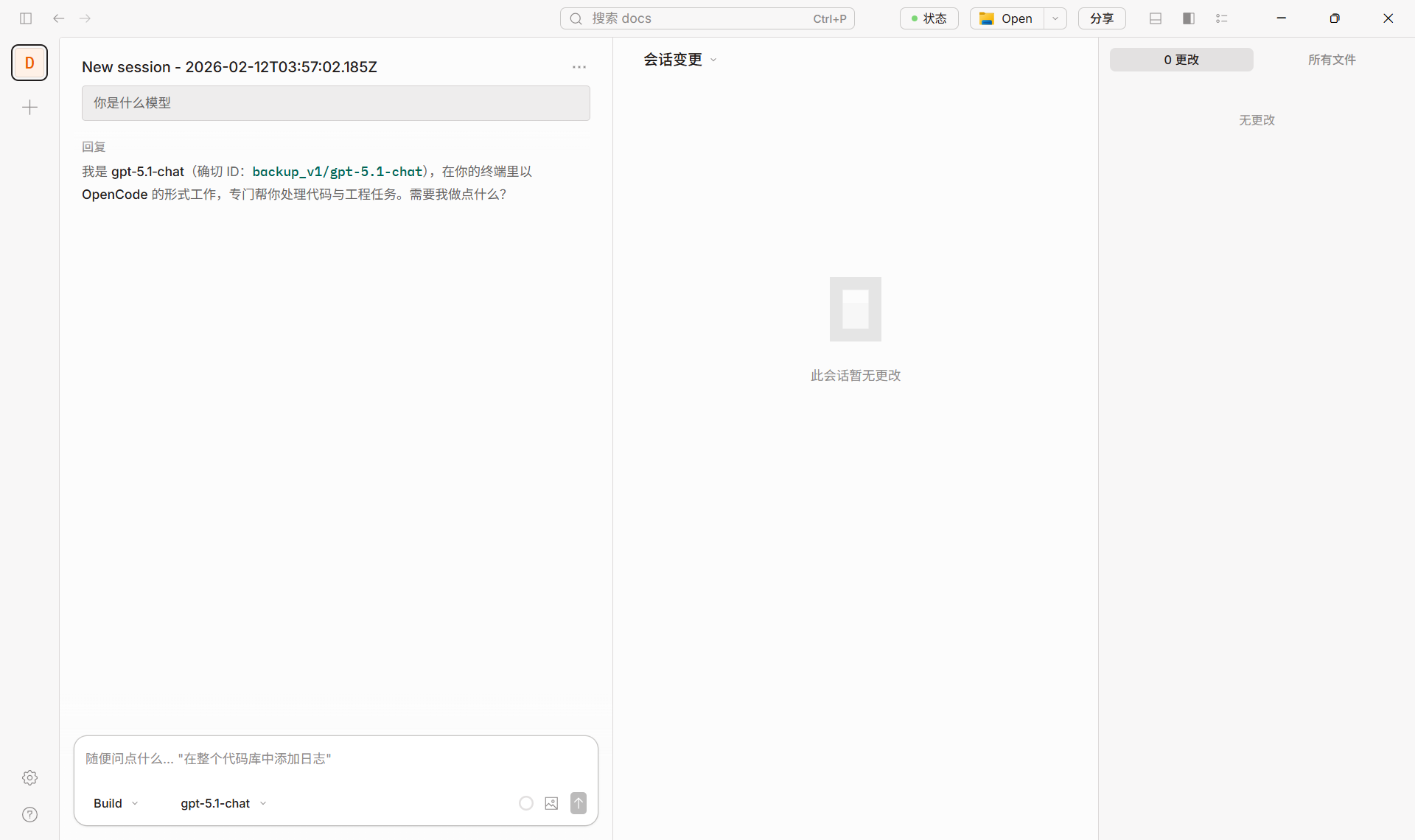
五、参考链接
- OpenCode 官网与下载:https://opencode.ai/
- OpenCode 配置与模型说明:Models、Providers