> ## Documentation Index
> Fetch the complete documentation index at: https://docs.mixroute.ai/llms.txt
> Use this file to discover all available pages before exploring further.
# Dify
> Dify 平台集成 MixRoute 指南
## 一、产品简介
Dify 是「可视化 + 插件化」的 AI 应用搭建平台,零代码基础也能轻松用大模型,快速搭建专属 AI 工具(比如对话机器人、文本处理工具等)。
通过集成 **MixRoute API**,您可以在 Dify 中使用成本更低的大模型服务,使用效果却几乎无差。
## 二、集成步骤
### 第一步:准备 API 账号
先注册一个 [MixRoute ](https://api.mixroute.ai/)账号,步驟可參考[快速开始](/zh-hans/quickstart):
### 第二步:进入 Dify 模型供应商设置
1. 打开 Dify 平台,登录后找到「设置」页面
2. 左侧菜单中选中「模型供应商」,进入插件安装界面
 ### 第三步:安装兼容插件
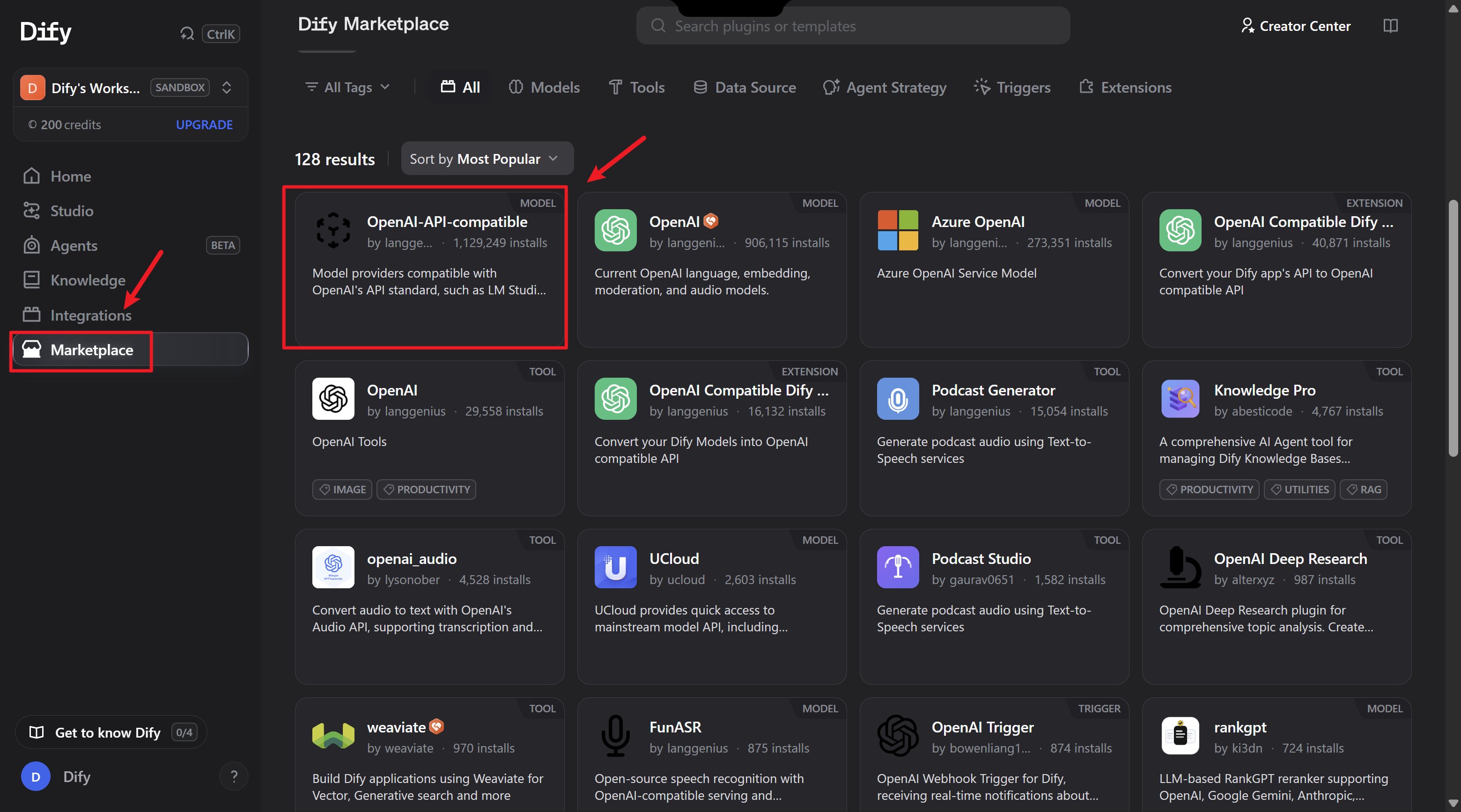
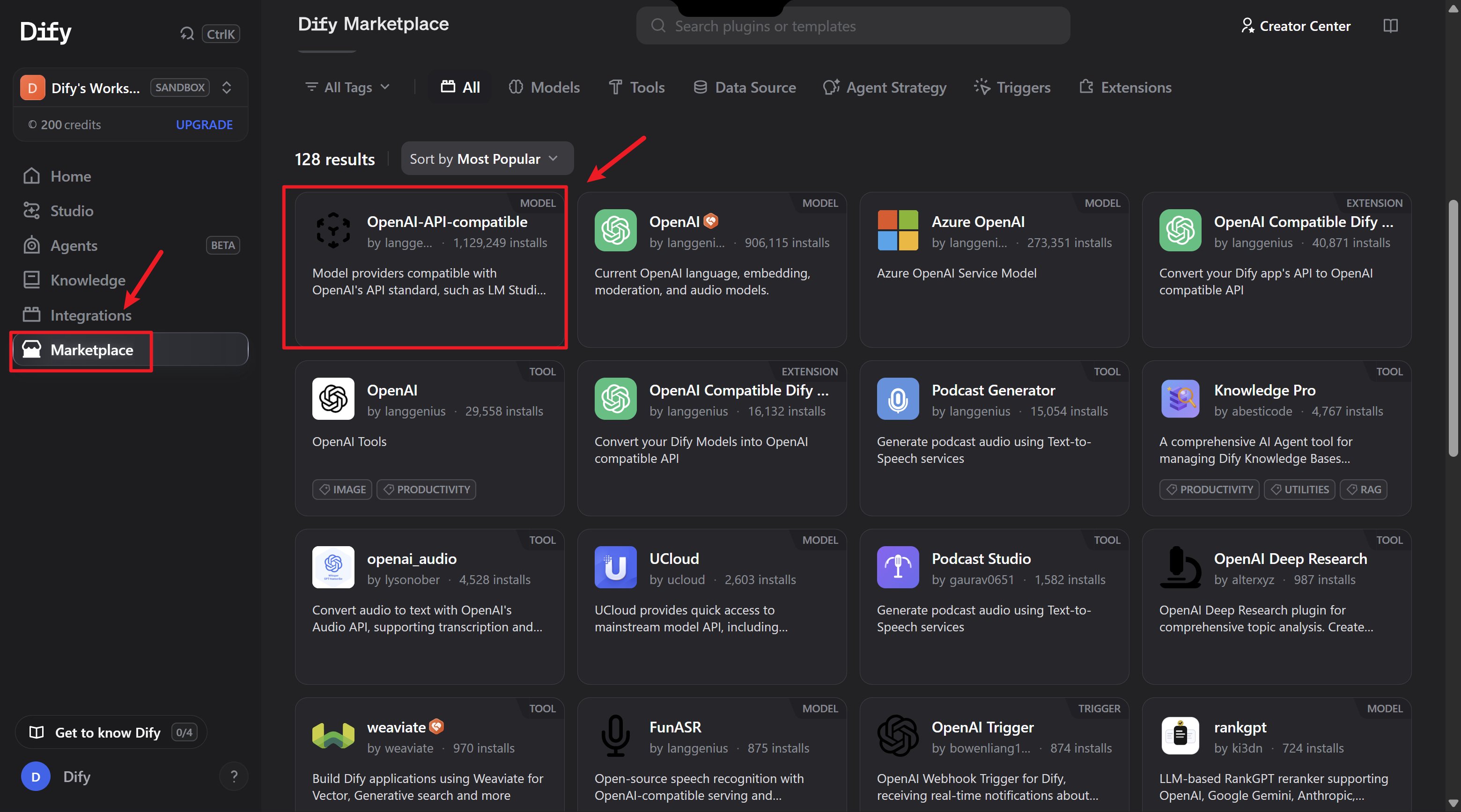
1. 下滑页面,找到「OpenAI-API-compatible」插件
2. 这款插件支持对话、文本嵌入、语音转文字等多种功能,能让 Dify 无缝对接第三方大模型
3. 点击「安装」即可
### 第三步:安装兼容插件
1. 下滑页面,找到「OpenAI-API-compatible」插件
2. 这款插件支持对话、文本嵌入、语音转文字等多种功能,能让 Dify 无缝对接第三方大模型
3. 点击「安装」即可
 ### 第四步:配置关键参数(重点!)
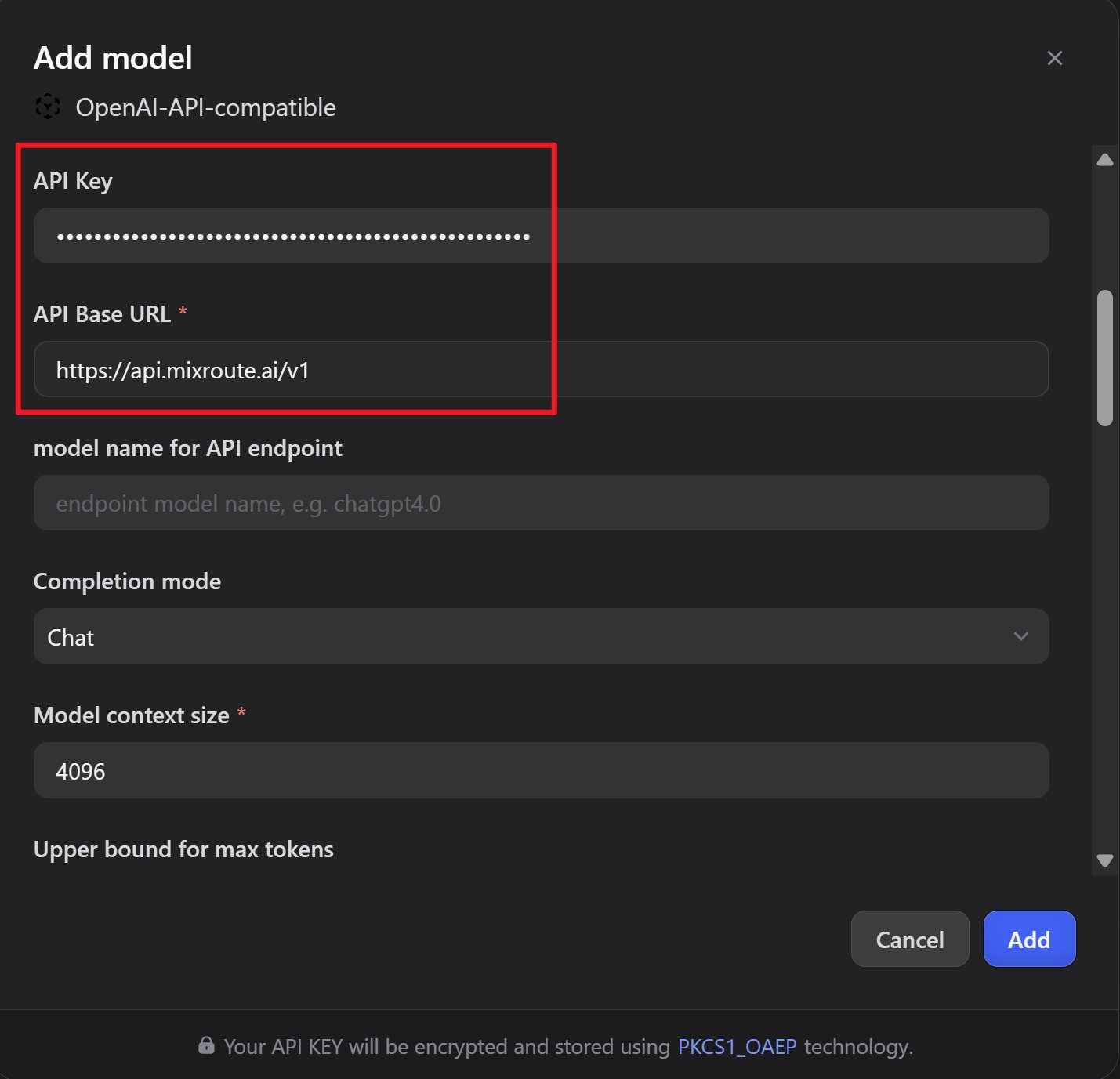
安装完成后,点击「增加模型」,需要配置 3 个核心参数:
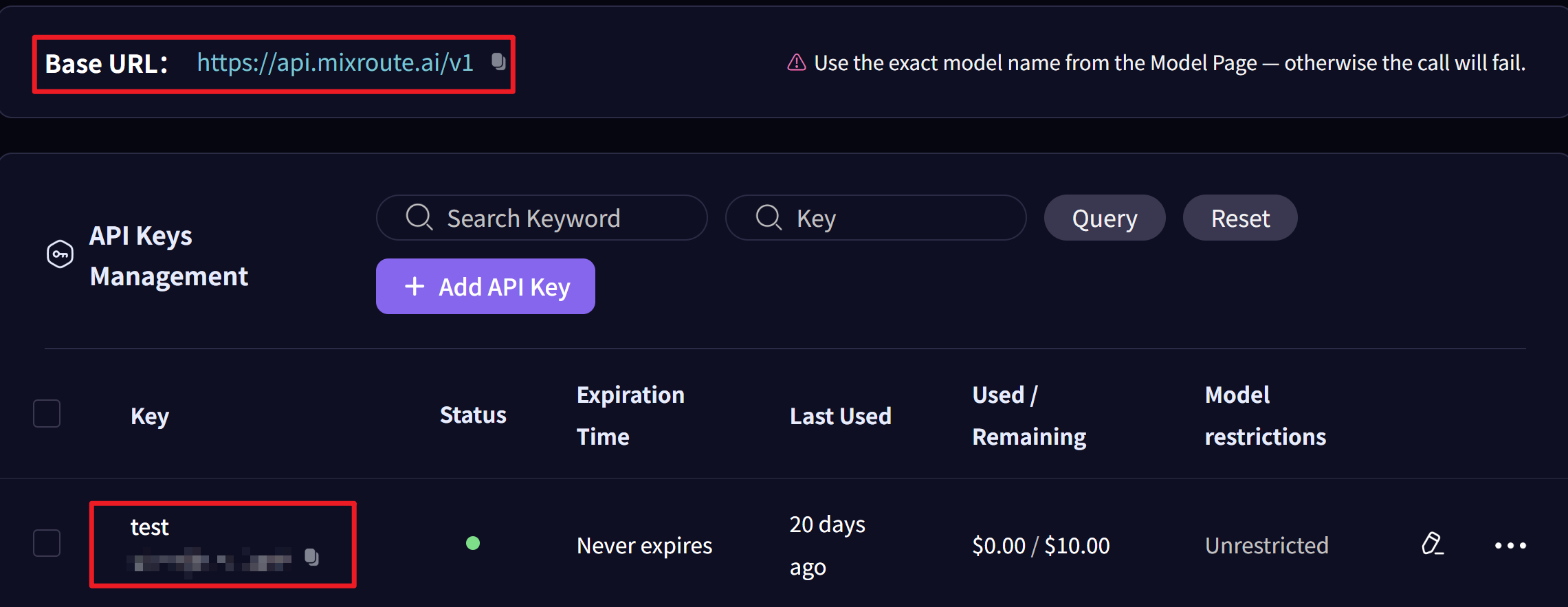
#### 1. 获取 API Key
* 打开 [MixRoute 控制台](https://api.mixroute.ai/),进入「API 密钥」页面
* 复制页面生成的密钥,粘贴到 Dify 参数的「API Key」字段
### 第四步:配置关键参数(重点!)
安装完成后,点击「增加模型」,需要配置 3 个核心参数:
#### 1. 获取 API Key
* 打开 [MixRoute 控制台](https://api.mixroute.ai/),进入「API 密钥」页面
* 复制页面生成的密钥,粘贴到 Dify 参数的「API Key」字段
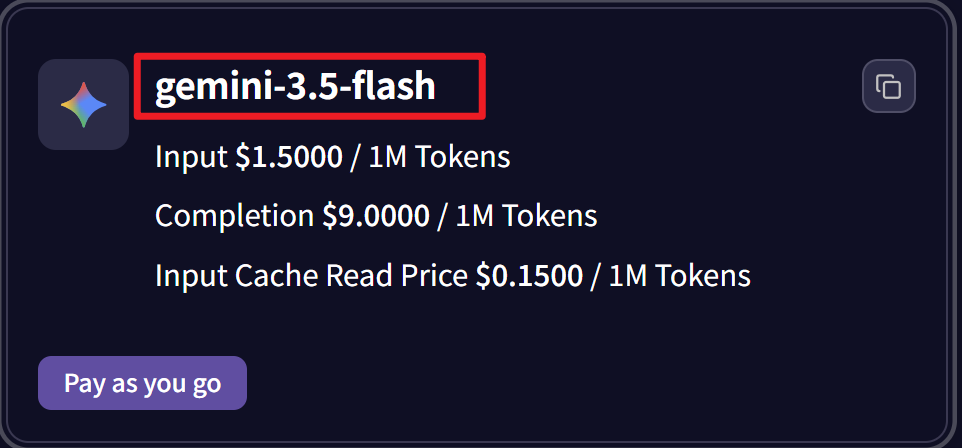
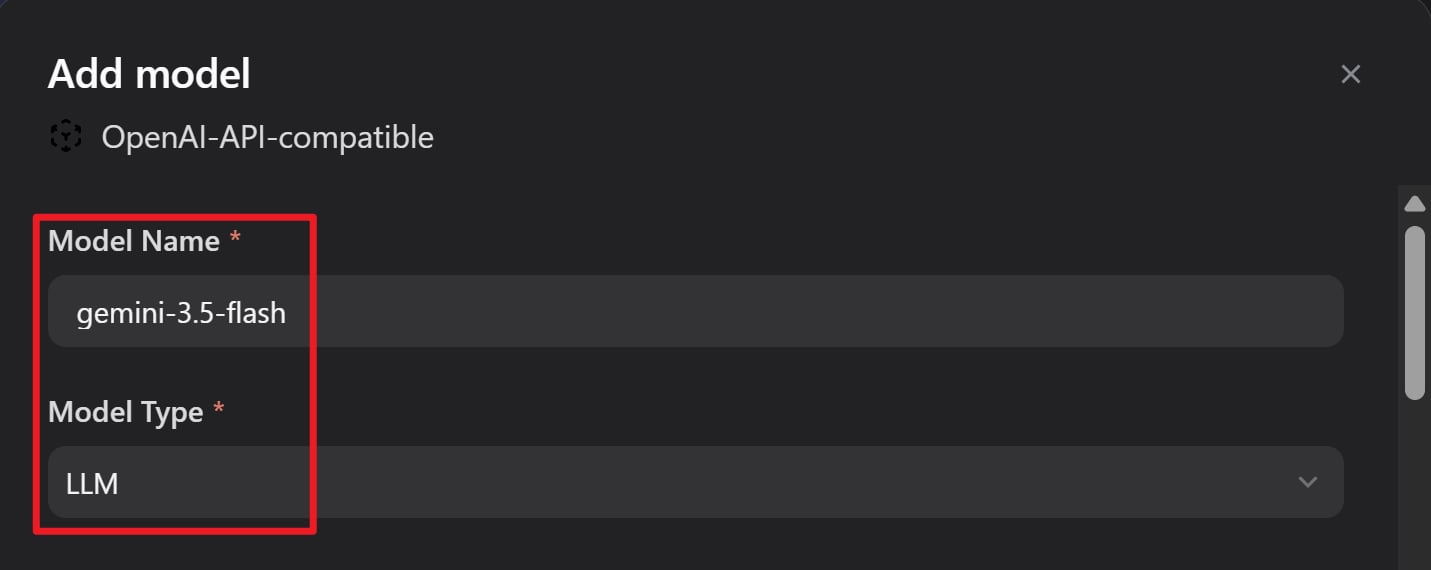
 #### 2. 获取模型名称
* 在控制台的「模型中心」页面,选你需要的模型(比如 Gemini、GPT 系列)
* 点击复制模型名称
* 把复制的名称,分别填入 Dify 的「模型名称」和「API endpoint 中的模型名称」
两个字段要填写一致!
#### 2. 获取模型名称
* 在控制台的「模型中心」页面,选你需要的模型(比如 Gemini、GPT 系列)
* 点击复制模型名称
* 把复制的名称,分别填入 Dify 的「模型名称」和「API endpoint 中的模型名称」
两个字段要填写一致!
 #### 3. 填写 API 地址
在 Dify 的「API endpoint」字段中填入:
```text theme={null}
https://api.mixroute.ai/v1
```
#### 3. 填写 API 地址
在 Dify 的「API endpoint」字段中填入:
```text theme={null}
https://api.mixroute.ai/v1
```
 ## 三、配置汇总
| 配置项 | 值 |
| - | - |
| API Key | 从 MixRoute 控制台获取 |
| 模型名称 | 如 `gpt-5.5`、`gemini-3.5-flash` |
| API endpoint | `https://api.mixroute.ai/v1` |
## 四、测试效果
### 测试步骤
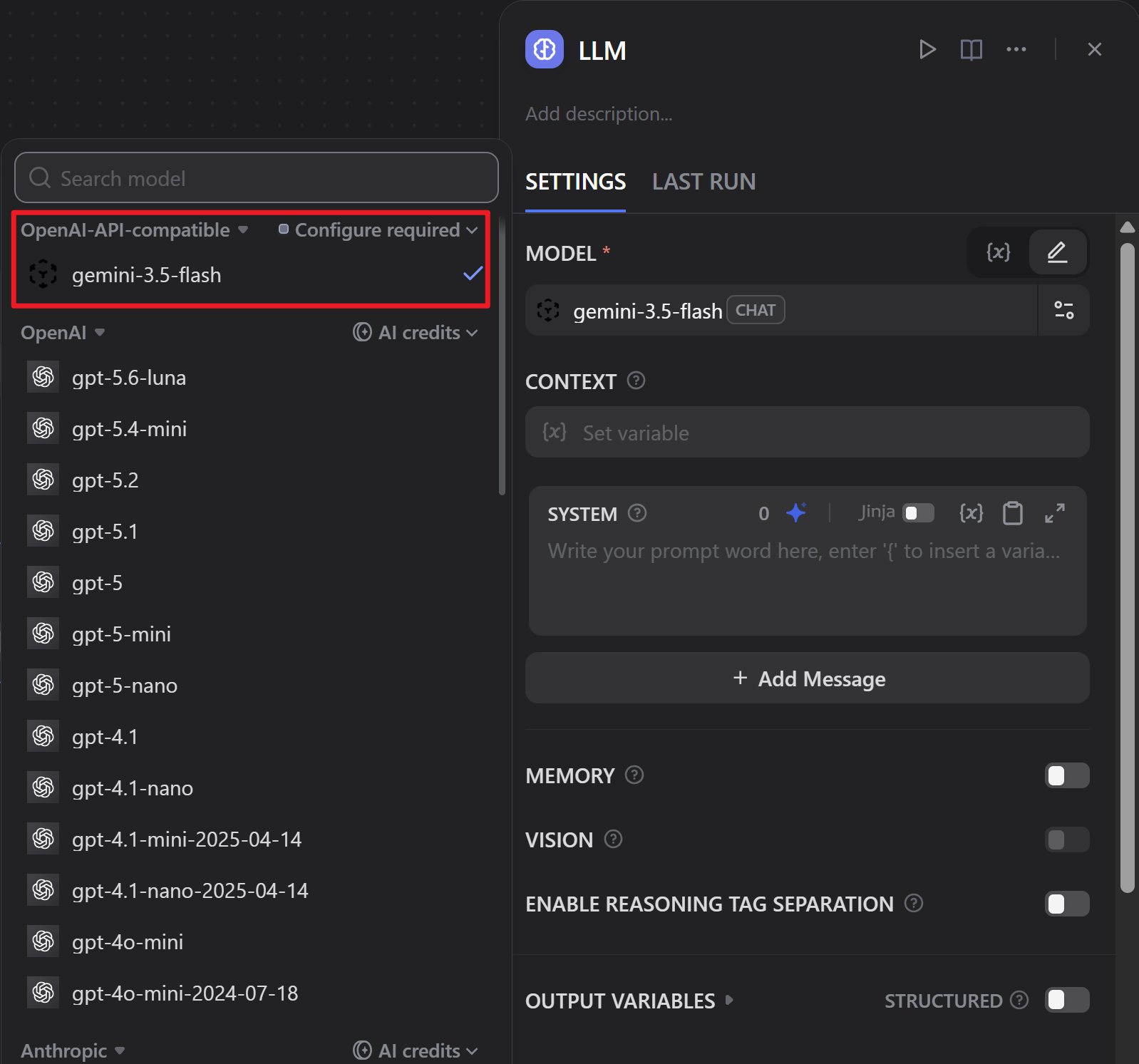
1. 打开你在 Dify 创建的工作流任务
2. 把原有模型替换成刚接入的第三方模型
3. 点击「开始运行」,等待执行结果
按照步骤操作,几分钟就能搞定低成本大模型接入!
## 三、配置汇总
| 配置项 | 值 |
| - | - |
| API Key | 从 MixRoute 控制台获取 |
| 模型名称 | 如 `gpt-5.5`、`gemini-3.5-flash` |
| API endpoint | `https://api.mixroute.ai/v1` |
## 四、测试效果
### 测试步骤
1. 打开你在 Dify 创建的工作流任务
2. 把原有模型替换成刚接入的第三方模型
3. 点击「开始运行」,等待执行结果
按照步骤操作,几分钟就能搞定低成本大模型接入!
 ## 五、优势总结
价格更有竞争力
响应速度和官方无差
通过 OpenAI-API-compatible 插件轻松接入
支持对话、文本嵌入、语音转文字等
## 六、注意事项
* 确保「模型名称」和「API endpoint 中的模型名称」两个字段保持一致
* API 地址统一使用:`https://api.mixroute.ai/v1`
* 建议先在测试环境验证配置,确认无误后再用于生产环境
This documentation is built and hosted on [Mintlify](https://mintlify.com), a developer documentation platform.
## 五、优势总结
价格更有竞争力
响应速度和官方无差
通过 OpenAI-API-compatible 插件轻松接入
支持对话、文本嵌入、语音转文字等
## 六、注意事项
* 确保「模型名称」和「API endpoint 中的模型名称」两个字段保持一致
* API 地址统一使用:`https://api.mixroute.ai/v1`
* 建议先在测试环境验证配置,确认无误后再用于生产环境
This documentation is built and hosted on [Mintlify](https://mintlify.com), a developer documentation platform.