> ## Documentation Index
> Fetch the complete documentation index at: https://docs.mixroute.ai/llms.txt
> Use this file to discover all available pages before exploring further.
# Claude Plugin (VS Code)
> Claude Code for VS Code Plugin Installation Guide
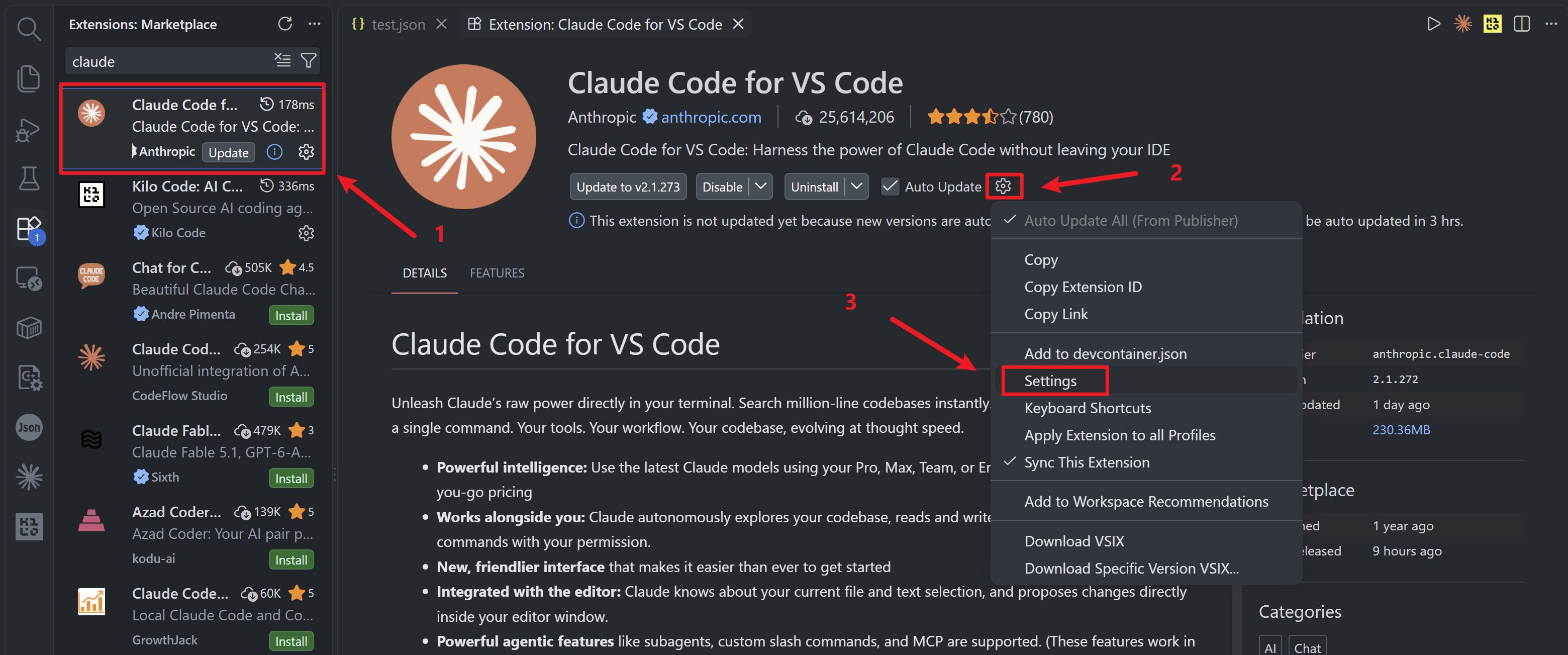
## Step 1: Install Claude Code Plugin
1. Open VS Code, go to Extensions panel (Ctrl+Shift+X)
2. Search for "Claude Code for VS Code" by Anthropic
3. Click Install
 ## Step 2: Configure settings.json
### Open Configuration
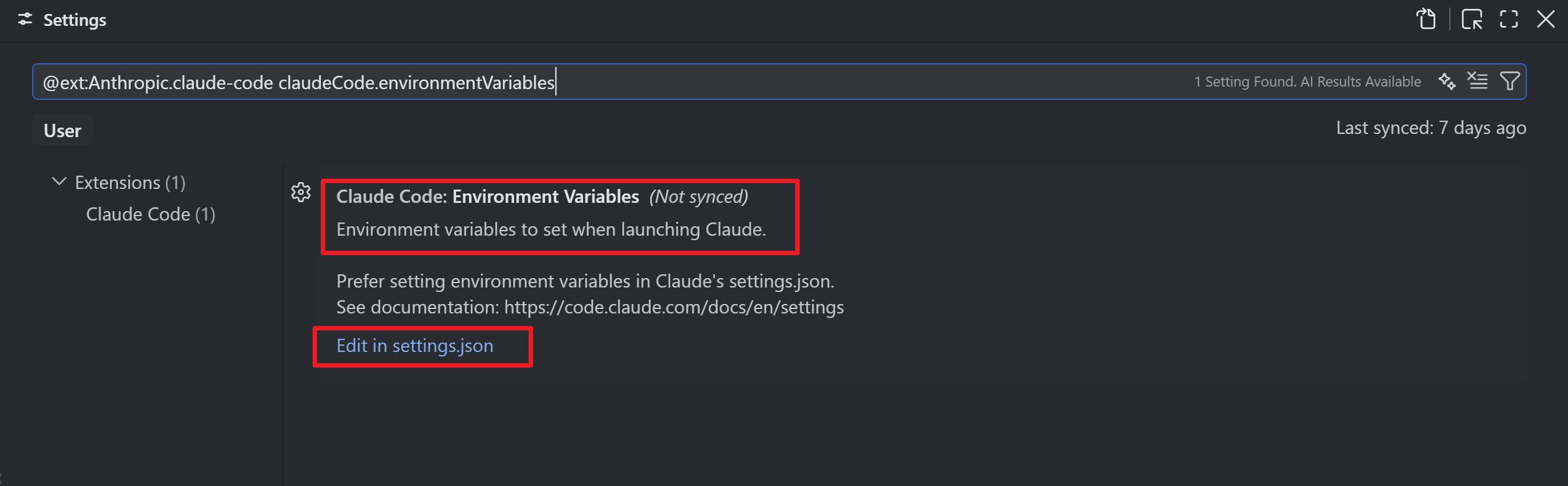
1. Click Settings icon (Ctrl+,), search "@ext:Anthropic.claude-code"
2. Find "Claude-code: Environment Variables", click "Edit in settings.json"
## Step 2: Configure settings.json
### Open Configuration
1. Click Settings icon (Ctrl+,), search "@ext:Anthropic.claude-code"
2. Find "Claude-code: Environment Variables", click "Edit in settings.json"
 ### Add Configuration
```jsonc theme={null}
{
"claudeCode.preferredLocation": "panel",
"claudeCode.allowDangerouslySkipPermissions": true,
"claudeCode.selectedModel": "claude-sonnet-5",
"claudeCode.environmentVariables": [
{
"name": "ANTHROPIC_BASE_URL",
"value": "https://api.mixroute.ai"
},
{
"name": "ANTHROPIC_AUTH_TOKEN",
"value": "mixroute_api_key"
},
{
"name": "CLAUDE_CODE_DISABLE_EXPERIMENTAL_BETAS",
"value": "1"
}
]
}
```
## Configuration Options
| Option | Description |
| - | - |
| `claudeCode.preferredLocation` | `panel` (bottom) or `sidebar` |
| `claudeCode.selectedModel` | Default model |
| `ANTHROPIC_BASE_URL` | Mixroute Api URL |
| `ANTHROPIC_AUTH_TOKEN` | Your API key |
## Verify Configuration
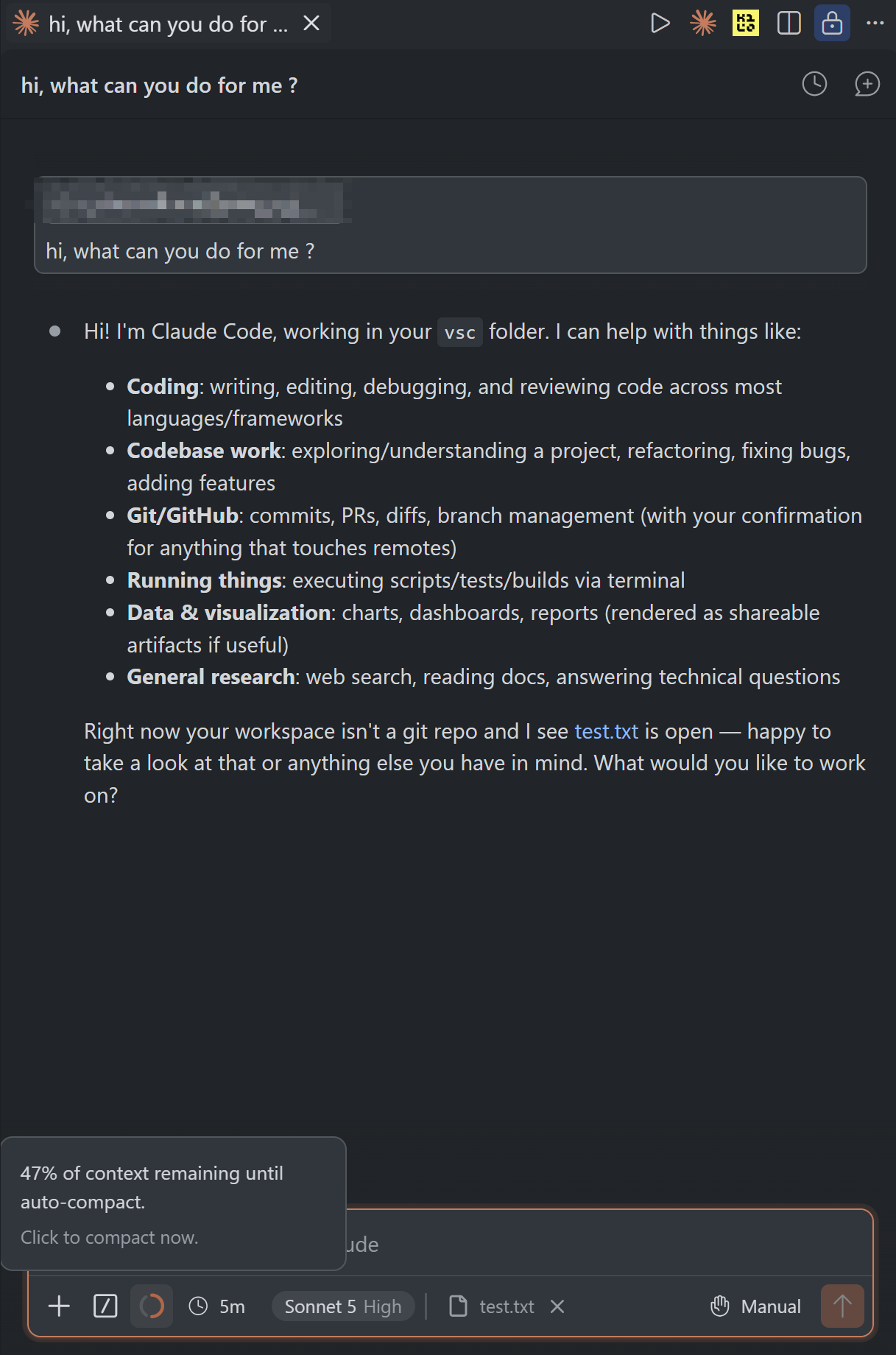
1. Restart VS Code
2. Open Command Palette (Ctrl+Shift+P), type "Claude"
3. Select "Claude Code: Open Panel"
4. Test with a question
### Add Configuration
```jsonc theme={null}
{
"claudeCode.preferredLocation": "panel",
"claudeCode.allowDangerouslySkipPermissions": true,
"claudeCode.selectedModel": "claude-sonnet-5",
"claudeCode.environmentVariables": [
{
"name": "ANTHROPIC_BASE_URL",
"value": "https://api.mixroute.ai"
},
{
"name": "ANTHROPIC_AUTH_TOKEN",
"value": "mixroute_api_key"
},
{
"name": "CLAUDE_CODE_DISABLE_EXPERIMENTAL_BETAS",
"value": "1"
}
]
}
```
## Configuration Options
| Option | Description |
| - | - |
| `claudeCode.preferredLocation` | `panel` (bottom) or `sidebar` |
| `claudeCode.selectedModel` | Default model |
| `ANTHROPIC_BASE_URL` | Mixroute Api URL |
| `ANTHROPIC_AUTH_TOKEN` | Your API key |
## Verify Configuration
1. Restart VS Code
2. Open Command Palette (Ctrl+Shift+P), type "Claude"
3. Select "Claude Code: Open Panel"
4. Test with a question
 ## Troubleshooting
### Response to 400 Errors Related to Beta Fields
```text theme={null}
# Error message a
API Error: 400 Unexpected Value(s) `advisor-tool-2026-03-01` for the `anthropic-beta` header.
# Error message b
API Error: 400 InvokeModelWithResponseStream: \
operation error bedrock Runtime: InvokeModelWithResponseStream, \
http response error StatusCode: 400 , RequestID: xxx-xxx-xxx-xxx, \
ValidationException: invalid beta flag (request id xxxxxxxx)
```
Add `{"name":"CLAUDE_CODE_DISABLE_EXPERIMENTAL_BETAS","value":"1"}` to the settings to disable the inclusion of experimental features in the request header.
This documentation is built and hosted on [Mintlify](https://mintlify.com), a developer documentation platform.
## Troubleshooting
### Response to 400 Errors Related to Beta Fields
```text theme={null}
# Error message a
API Error: 400 Unexpected Value(s) `advisor-tool-2026-03-01` for the `anthropic-beta` header.
# Error message b
API Error: 400 InvokeModelWithResponseStream: \
operation error bedrock Runtime: InvokeModelWithResponseStream, \
http response error StatusCode: 400 , RequestID: xxx-xxx-xxx-xxx, \
ValidationException: invalid beta flag (request id xxxxxxxx)
```
Add `{"name":"CLAUDE_CODE_DISABLE_EXPERIMENTAL_BETAS","value":"1"}` to the settings to disable the inclusion of experimental features in the request header.
This documentation is built and hosted on [Mintlify](https://mintlify.com), a developer documentation platform.