> ## Documentation Index
> Fetch the complete documentation index at: https://docs.mixroute.ai/llms.txt
> Use this file to discover all available pages before exploring further.
# Kilo Code Plugin (VS Code)
> Kilo Code for VS Code Plugin Installation Guide
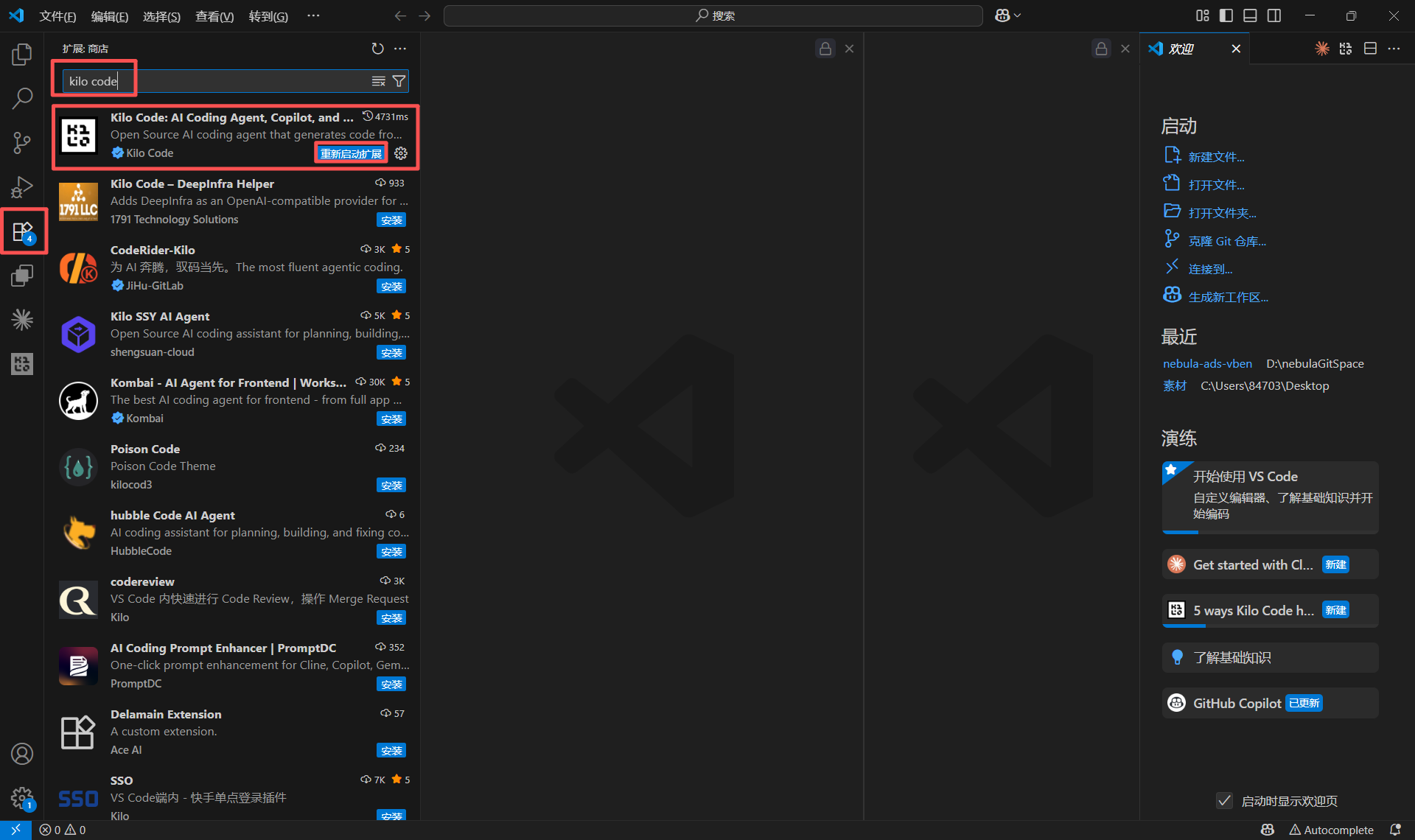
## Step 1: Install Kilo Code Plugin
1. Open VS Code Extensions panel (Ctrl+Shift+X)
2. Search for "Kilo Code"
3. Click Install
 ## Step 2: Configure API Provider
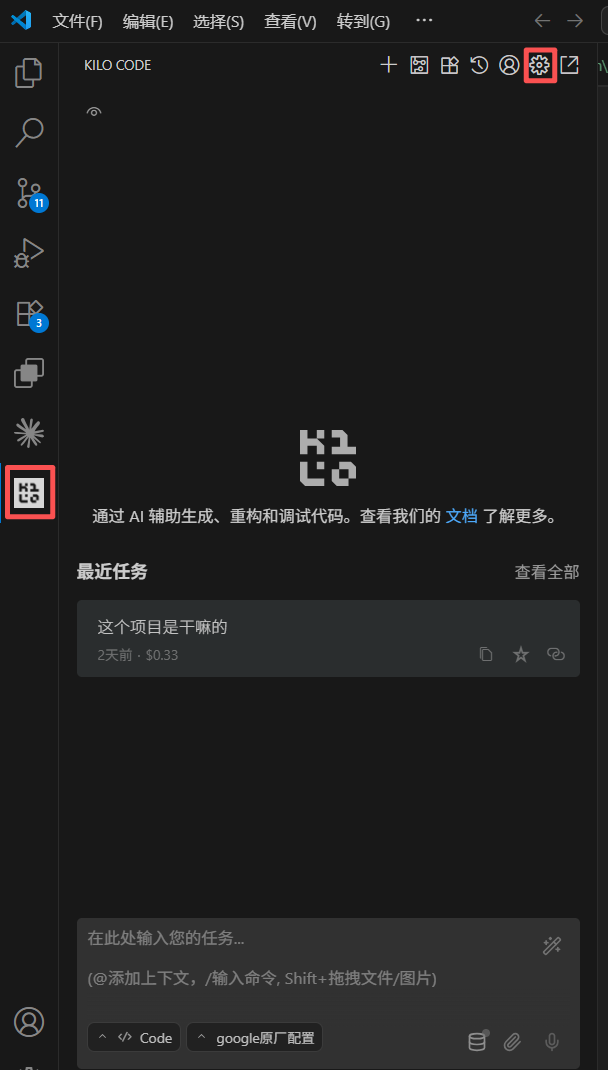
### Open Settings Panel
1. Click Kilo Code icon in activity bar
2. Click Settings gear icon
## Step 2: Configure API Provider
### Open Settings Panel
1. Click Kilo Code icon in activity bar
2. Click Settings gear icon
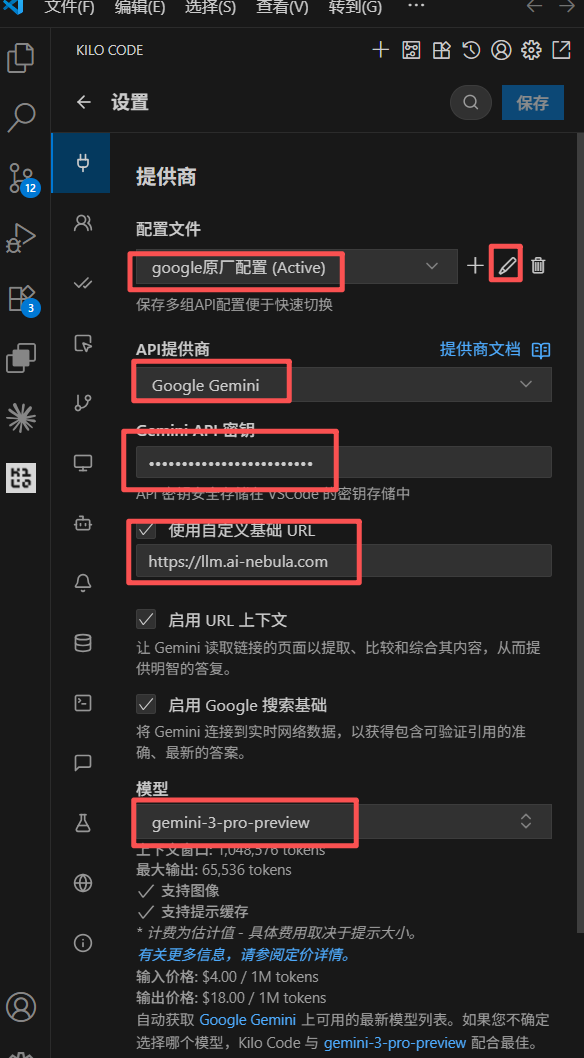
 ### Configure Provider
| Setting | Value |
| ---------------- | ------------------------------- |
| **Profile** | Keep default `default (Active)` |
| **API Provider** | Select "Google Gemini" |
| **API Key** | Your API key (sk-xxxxx) |
| **Model** | Model name to use |
| **Base URL** | `https://api.mixroute.ai` |
**Recommended Model**: `gemini-3-pro-preview`
### Configure Provider
| Setting | Value |
| ---------------- | ------------------------------- |
| **Profile** | Keep default `default (Active)` |
| **API Provider** | Select "Google Gemini" |
| **API Key** | Your API key (sk-xxxxx) |
| **Model** | Model name to use |
| **Base URL** | `https://api.mixroute.ai` |
**Recommended Model**: `gemini-3-pro-preview`
 ## Step 3: Verify Connection
1. Open any code file
2. Use `Ctrl+I` (Windows) or `Cmd+I` (macOS) for Inline Chat
3. Test with "explain this code" or "hello"
## Step 3: Verify Connection
1. Open any code file
2. Use `Ctrl+I` (Windows) or `Cmd+I` (macOS) for Inline Chat
3. Test with "explain this code" or "hello"