> ## Documentation Index
> Fetch the complete documentation index at: https://docs.mixroute.ai/llms.txt
> Use this file to discover all available pages before exploring further.
# Smart Routing
## Introduction
Smart Routing is an intelligent model routing capability that automatically assigns requests to the most suitable model based on the complexity of the input task. By dividing tasks into three levels — **simple**, **complex**, and **ultra** (flagship) — Smart Routing can effectively reduce API call costs while maintaining output quality. Ultra serves as the price benchmark.
### Usage Constraints
**Cache Capability Constraints**
During routing, the caching feature will be affected. Different models have different caching mechanisms and cache nodes. When switching models, the cache will be flushed and cannot be reused.
**Request Body Structure Constraints**
Smart Routing uses the `/v1/chat/completions` endpoint. When the routing target is a Claude series model, it can only work through OpenAI compatibility mode. For feature constraints after compatibility, please refer to the Anthropic official documentation [OpenAI SDK compatibility](https://platform.claude.com/docs/en/cli-sdks-libraries/libraries/openai-sdk).
### Usage Guide
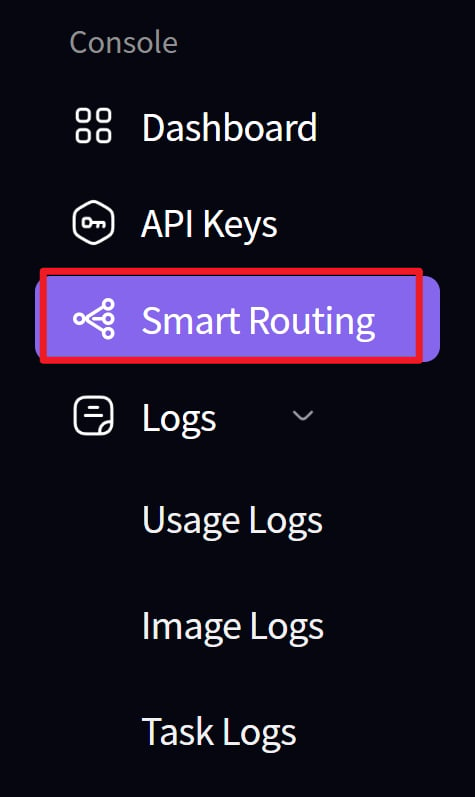
1. Create a route
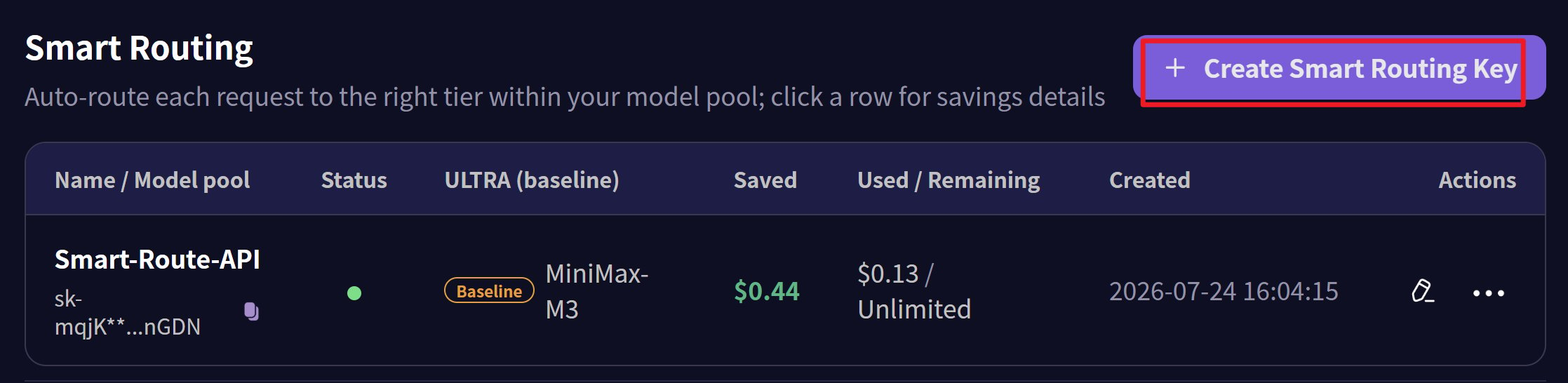
 2. Create an API key for the route node
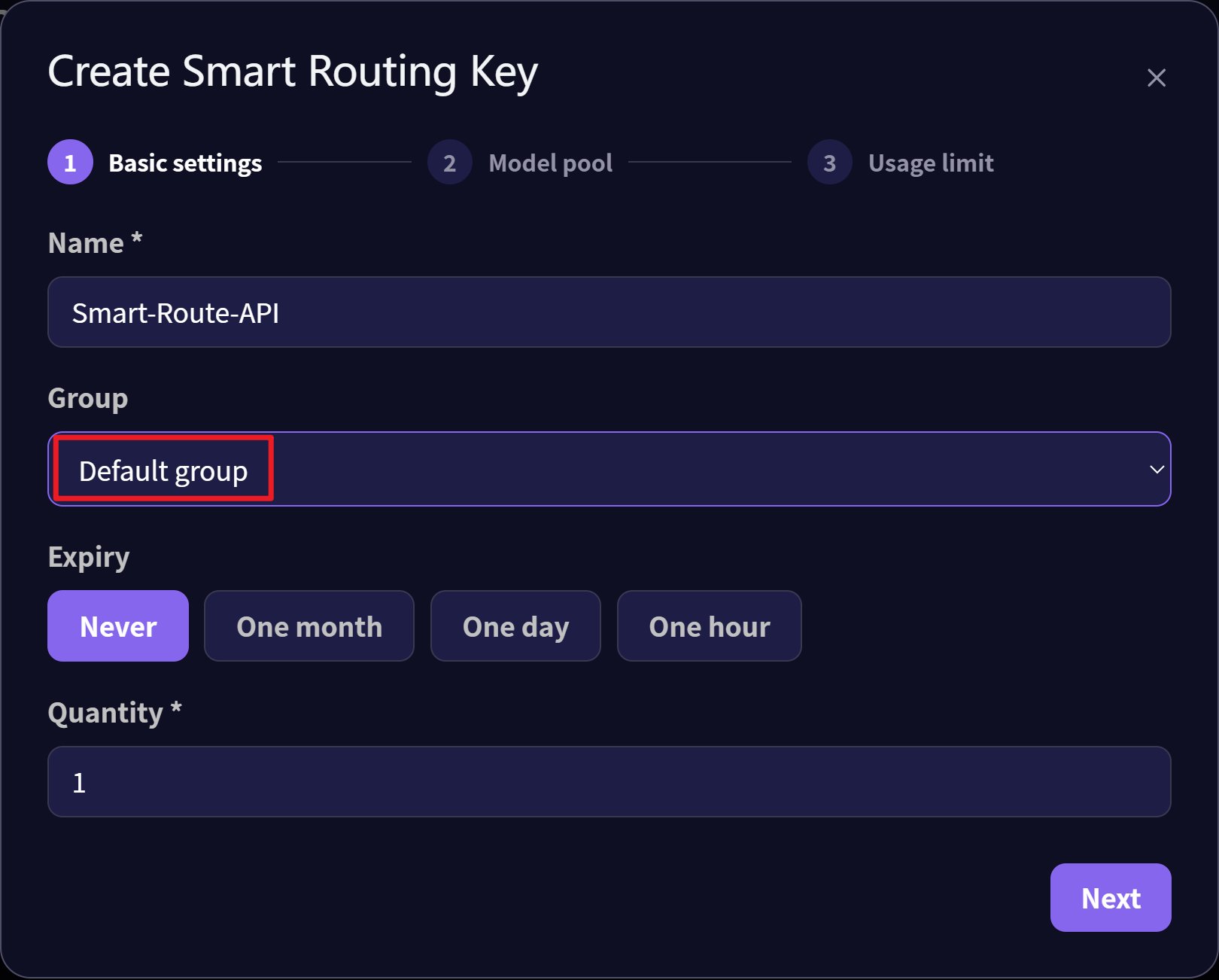
 3. Select the Default group for the API key
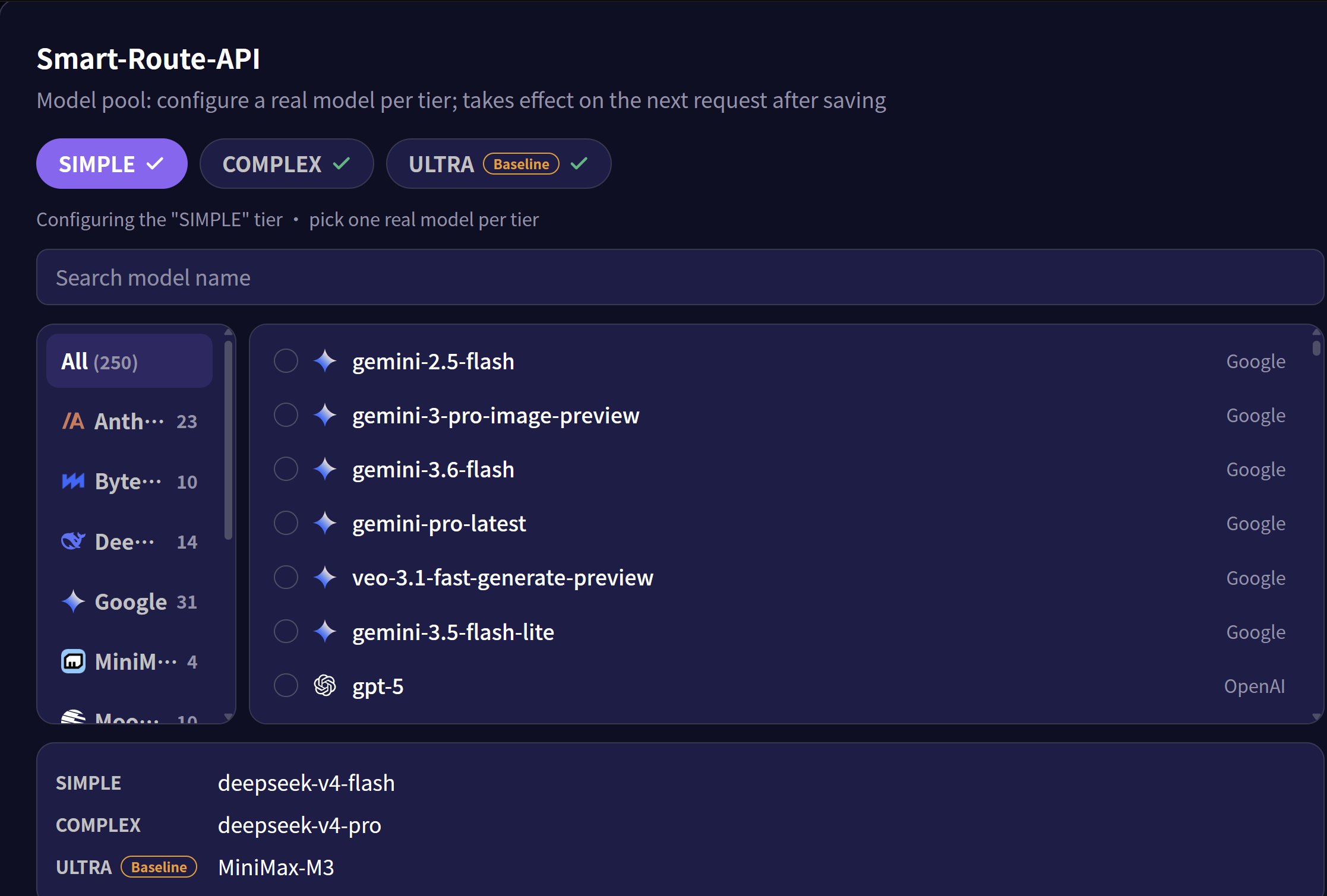
 4. Set the corresponding models for the three levels: simple, complex, and ultra
 5. Configure and route through the smart gateway
* Communication endpoint: `https://api.mixroute.ai/v1/chat/completions`
* Model name: `auto`
* API Key: Use the route's API key
```bash theme={null}
curl https://api.mixroute.ai/v1/chat/completions \
-H "Content-Type: application/json" \
-H "Authorization: Bearer YOUR_ROUTING_KEY" \
-d '{
"model": "auto",
"messages": [
{"role": "user", "content": "Hello"}
]
}'
```
5. Configure and route through the smart gateway
* Communication endpoint: `https://api.mixroute.ai/v1/chat/completions`
* Model name: `auto`
* API Key: Use the route's API key
```bash theme={null}
curl https://api.mixroute.ai/v1/chat/completions \
-H "Content-Type: application/json" \
-H "Authorization: Bearer YOUR_ROUTING_KEY" \
-d '{
"model": "auto",
"messages": [
{"role": "user", "content": "Hello"}
]
}'
```