> ## Documentation Index
> Fetch the complete documentation index at: https://docs.mixroute.ai/llms.txt
> Use this file to discover all available pages before exploring further.
# 智能路由
## 介绍
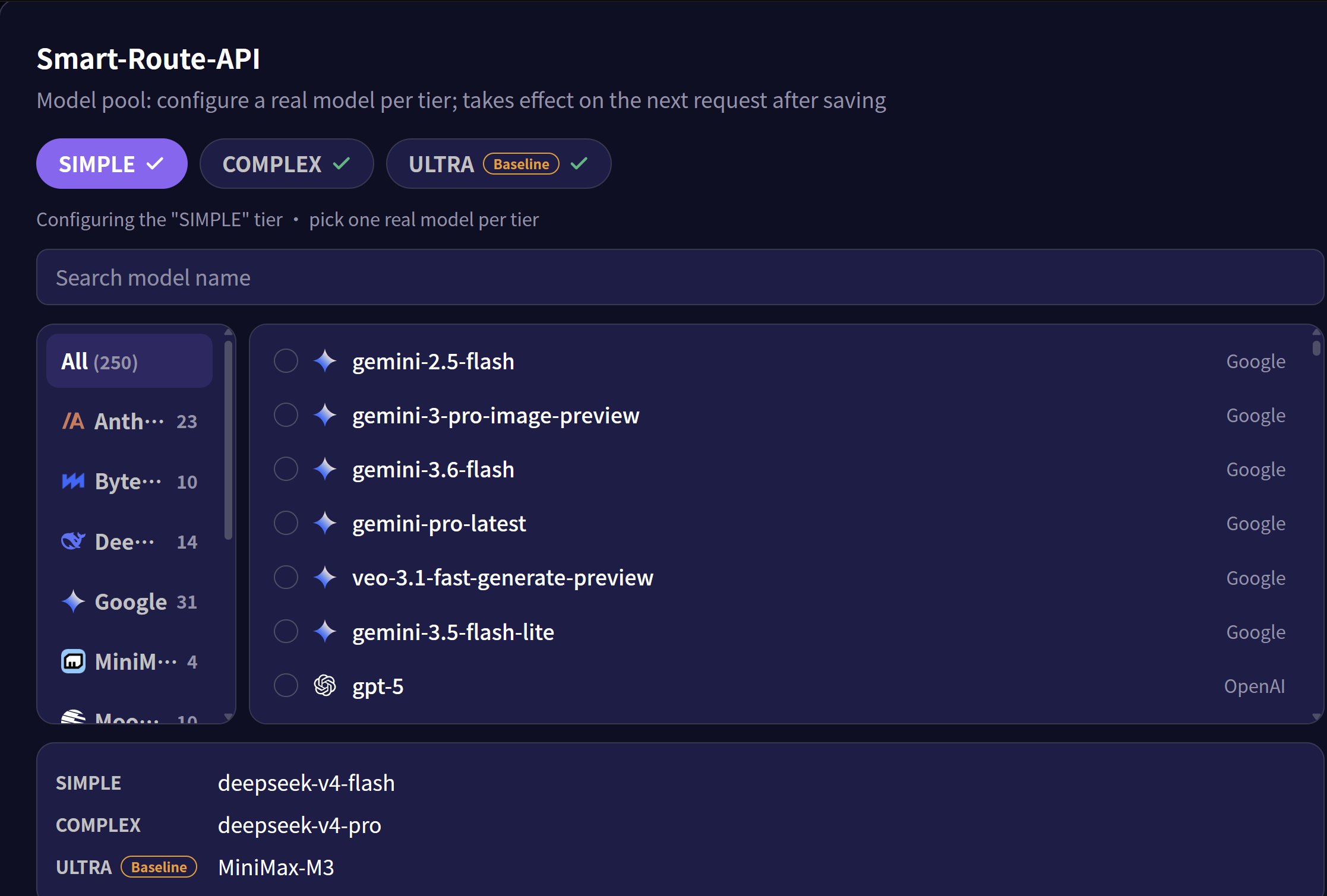
Smart Routing 是一项智能模型路由能力,能够根据输入任务的复杂程度,自动将请求分配至最合适的模型。通过将任务划分为 **simple**(简单)、**complex**(复杂)、**ultra**(旗舰)三个等级,Smart Routing 可以在保证输出质量的前提下,有效降低 API 调用成本。其中Ultra为价格基准。
### 使用约束
**缓存能力约束**
路由过程中,缓存特性将受到影响。不同模型之间的缓存机制和缓存节点存在差异,切换模型时缓存将被刷新,无法复用。
**请求体结构约束**
Smart Routing 使用 `/v1/chat/completions` 端点。当路由目标为 Claude 系列模型时,只能通过 OpenAI 兼容模式工作。兼容后的特性约束请参考 Anthropic 官方文档 [OpenAI SDK compatibility](https://platform.claude.com/docs/en/cli-sdks-libraries/libraries/openai-sdk)。
### 使用指南
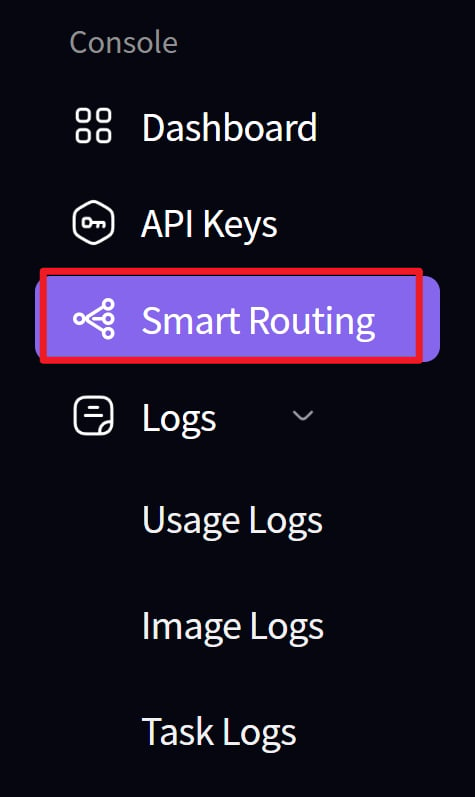
1. 创建路由
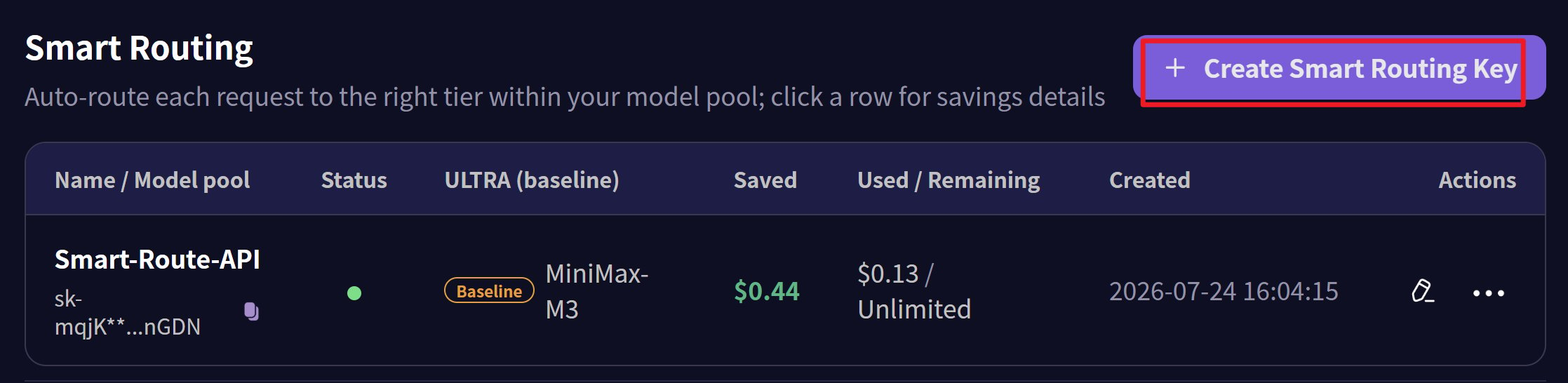
 2. 为路由节点创建密钥
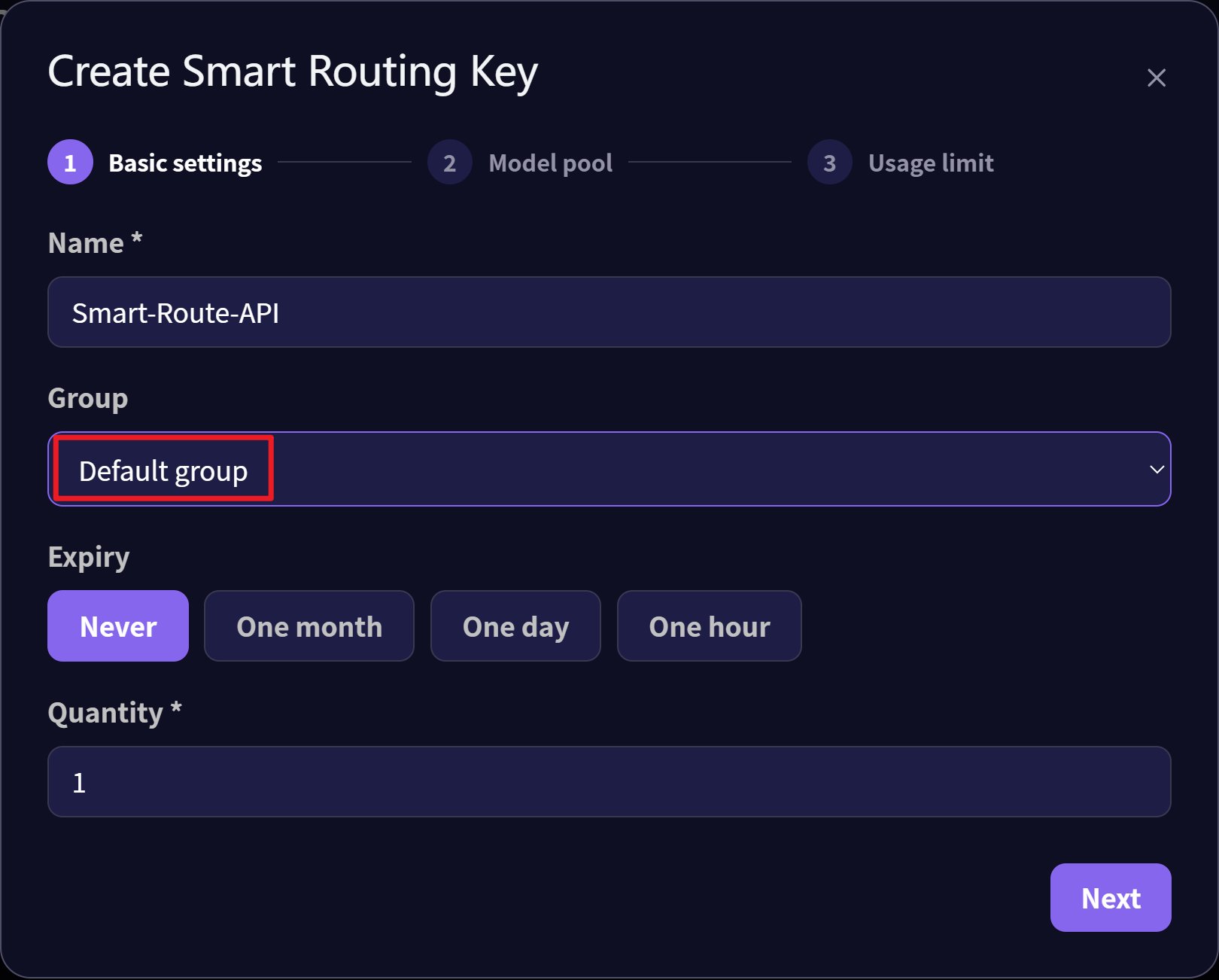
 3. 为密钥选择 Default 分组
 4. 分别为 simple、complex、ultra 三个级别设置对应模型
 5. 配置并通过智能网关进行路由
* 通讯端点:`https://api.mixroute.ai/v1/chat/completions`
* 模型名称:`auto`
* 密钥:使用路由的密钥
```bash theme={null}
curl https://api.mixroute.ai/v1/chat/completions \
-H "Content-Type: application/json" \
-H "Authorization: Bearer YOUR_ROUTING_KEY" \
-d '{
"model": "auto",
"messages": [
{"role": "user", "content": "Hello"}
]
}'
```
5. 配置并通过智能网关进行路由
* 通讯端点:`https://api.mixroute.ai/v1/chat/completions`
* 模型名称:`auto`
* 密钥:使用路由的密钥
```bash theme={null}
curl https://api.mixroute.ai/v1/chat/completions \
-H "Content-Type: application/json" \
-H "Authorization: Bearer YOUR_ROUTING_KEY" \
-d '{
"model": "auto",
"messages": [
{"role": "user", "content": "Hello"}
]
}'
```