> ## Documentation Index
> Fetch the complete documentation index at: https://docs.mixroute.ai/llms.txt
> Use this file to discover all available pages before exploring further.
# LobeHub
> 在 LobeHub 中使用 MixRoute API Key
## 在 LobeHub 中使用 MixRoute API
本文档将指导你如何在 LobeHub 中使用 **MixRoute API**(兼容 OpenAI 接口),替代官方 OpenAI Key。
## 步骤一:获取 MixRoute API 密钥
1. 注册一个 [MixRoute 账户](https://api.mixroute.ai/),并完成邮箱验证与基础设置。
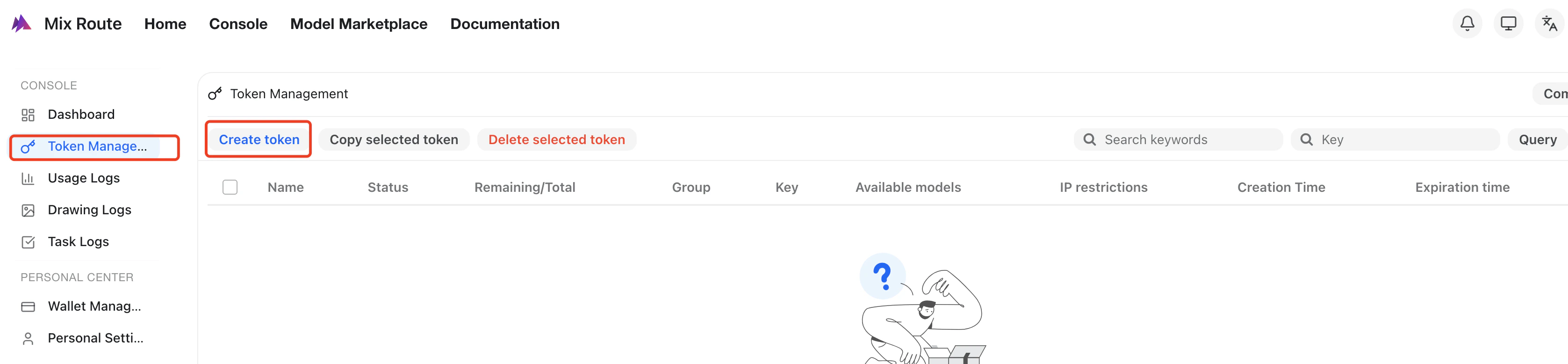
2. 登录控制台,进入「API 密钥」页面,点击 `创建新密钥`。
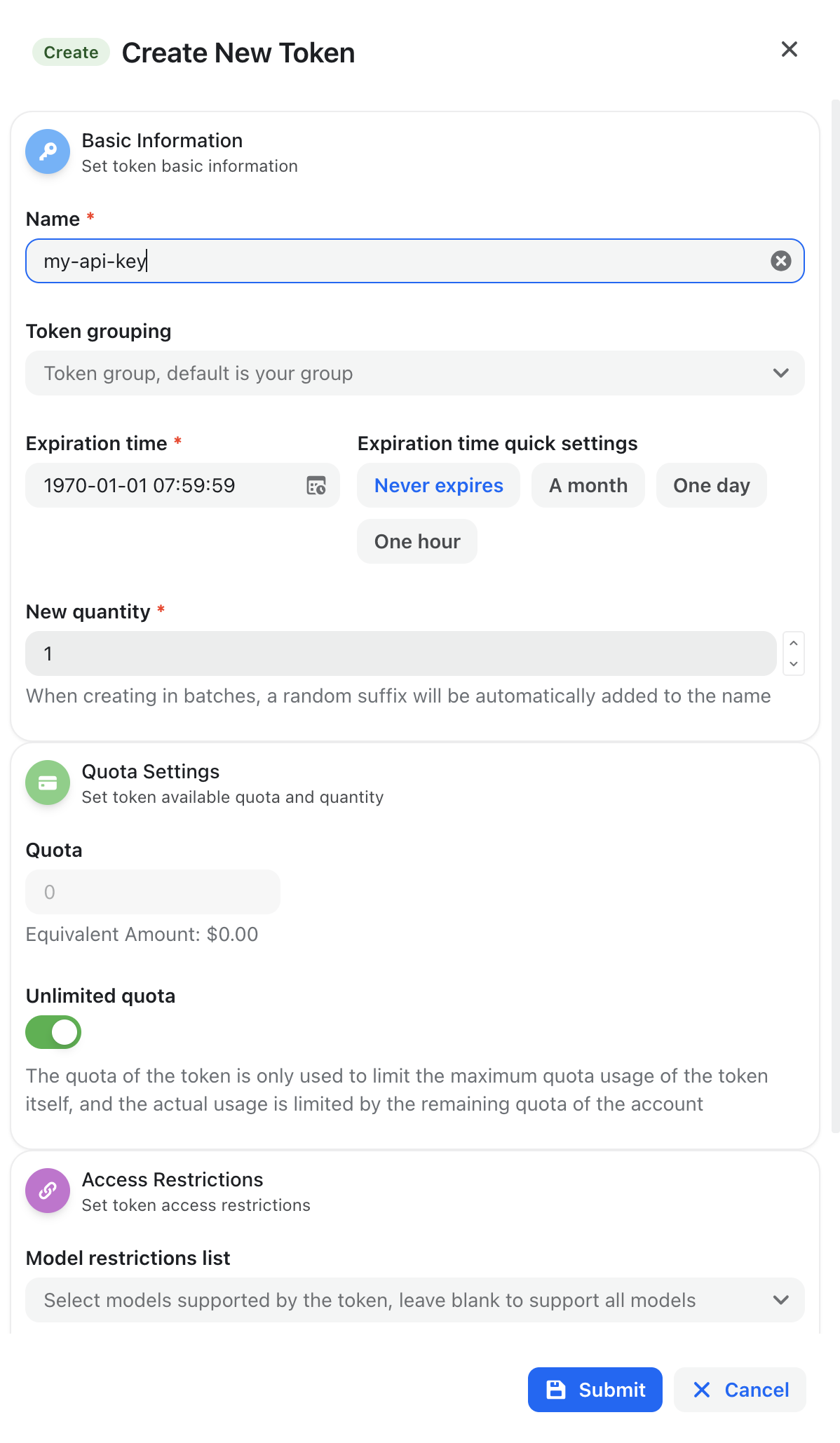
 3. 在弹出的窗口中填写密钥名称并创建密钥:
 4. 复制生成的 API Key,并妥善保存:
 出于安全原因,密钥通常只会完整显示一次。如果遗失,需要重新生成新的 API Key。
## 步骤二:在 LobeHub 中配置 MixRoute
1. 打开 LobeHub,进入 **设置** 页面。
2. 在「AI 服务商」列表中找到 **OpenAI / 自定义 OpenAI 兼容服务** 配置项。
3. 在提供商配置中填入:
出于安全原因,密钥通常只会完整显示一次。如果遗失,需要重新生成新的 API Key。
## 步骤二:在 LobeHub 中配置 MixRoute
1. 打开 LobeHub,进入 **设置** 页面。
2. 在「AI 服务商」列表中找到 **OpenAI / 自定义 OpenAI 兼容服务** 配置项。
3. 在提供商配置中填入:
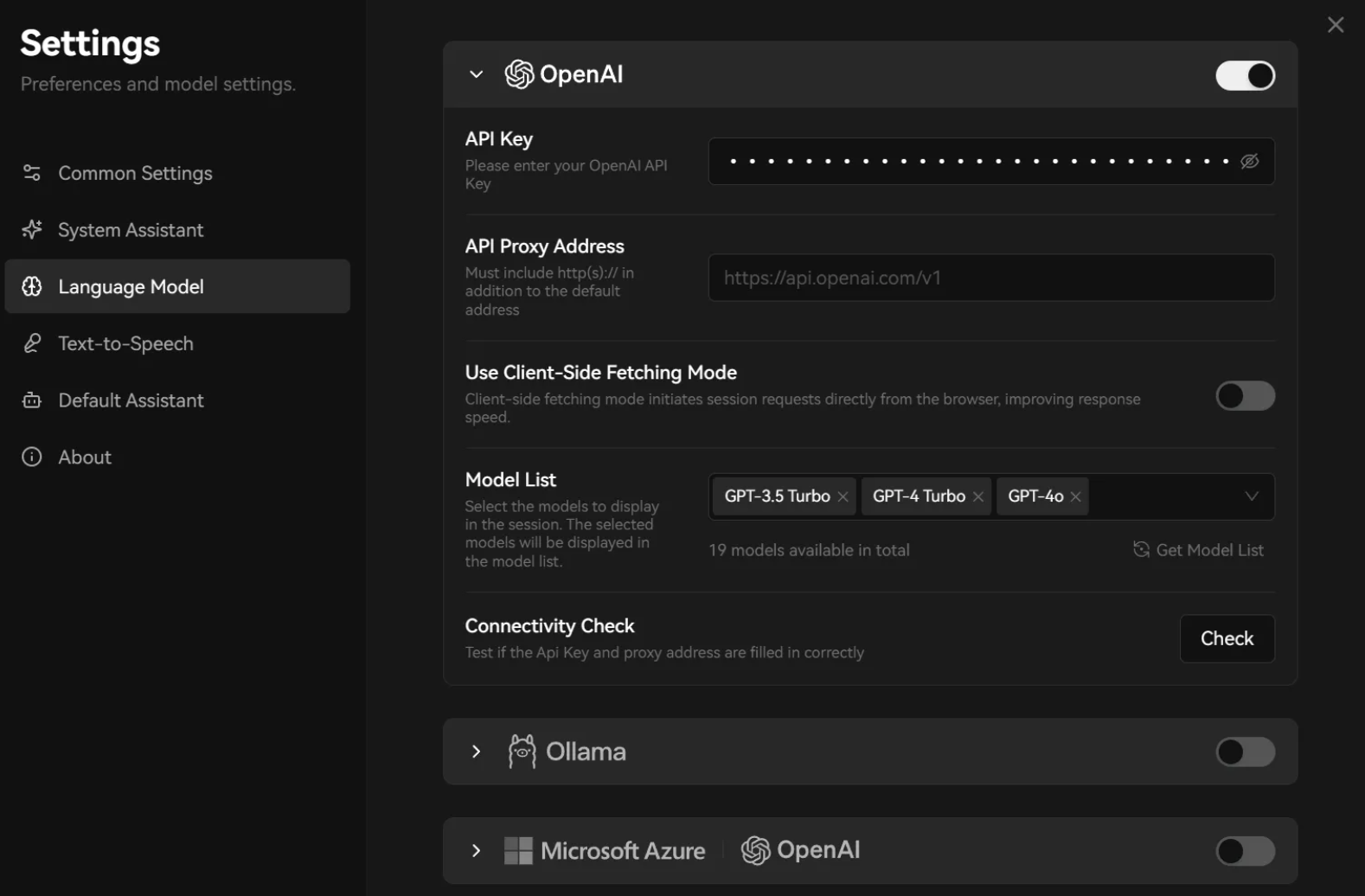 在提供商配置中填入:
| 配置项 | 填写内容 |
| ------------------ | ----------------------------- |
| API Key | 粘贴刚才从 MixRoute 控制台复制的 API Key |
| Base URL / 自定义接口地址 | `https://api.mixroute.ai/v1` |
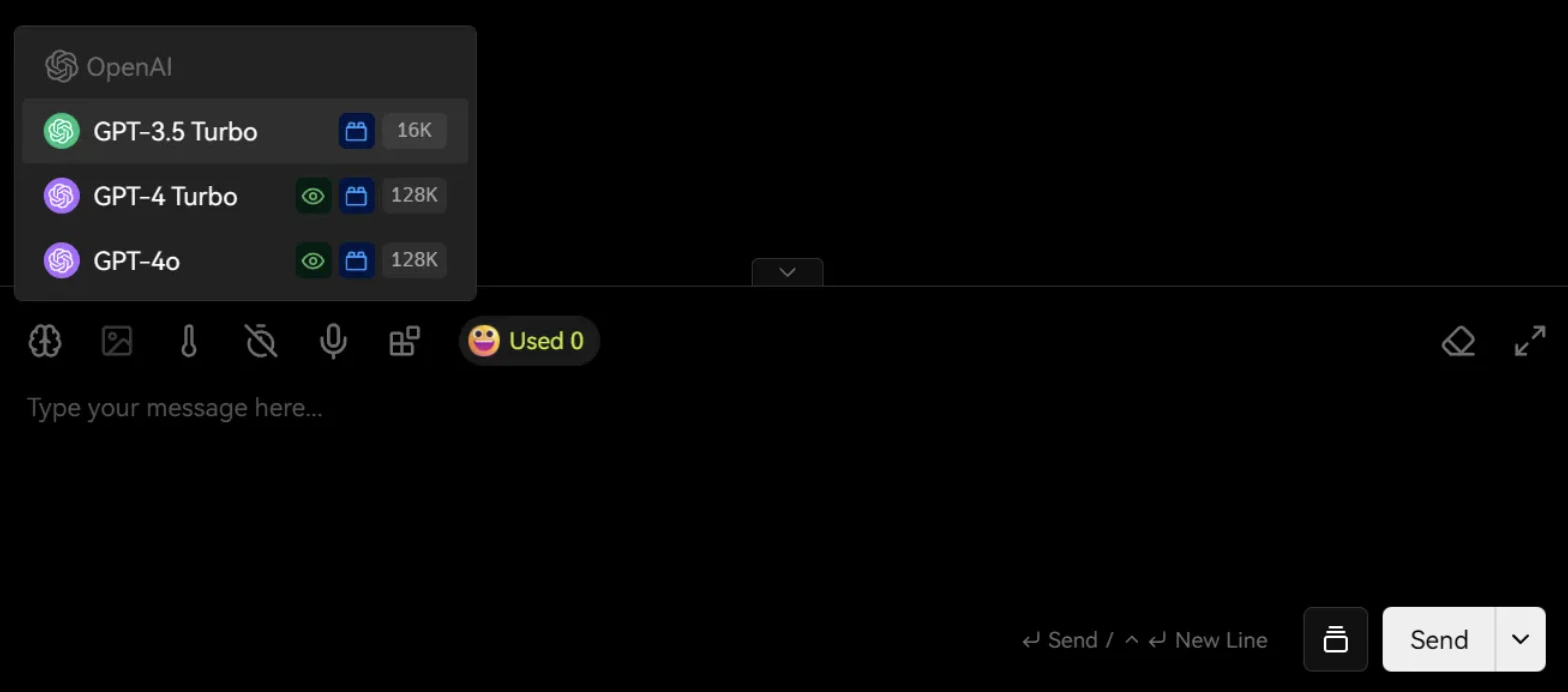
4. 保存配置后,在模型选择列表中选择 MixRoute 提供的模型即可开始对话。
在提供商配置中填入:
| 配置项 | 填写内容 |
| ------------------ | ----------------------------- |
| API Key | 粘贴刚才从 MixRoute 控制台复制的 API Key |
| Base URL / 自定义接口地址 | `https://api.mixroute.ai/v1` |
4. 保存配置后,在模型选择列表中选择 MixRoute 提供的模型即可开始对话。
 使用过程中会根据模型调用产生计费,请参考 MixRoute 控制台的价格说明与用量统计。
更多可用模型与价格请参考:[模型列表](https://console.mixroute.ai/models)。
使用过程中会根据模型调用产生计费,请参考 MixRoute 控制台的价格说明与用量统计。
更多可用模型与价格请参考:[模型列表](https://console.mixroute.ai/models)。